
Screens

Video

Guide
Certified tool to Batch Convert OLM (Outlook for Mac) files to a PST (Outlook for Windows) Without Size Limits. Easily Export Large OLM Mailboxes to PST with 100% data integrity.
 100% Safe and Secure
  30 Days Money Back*
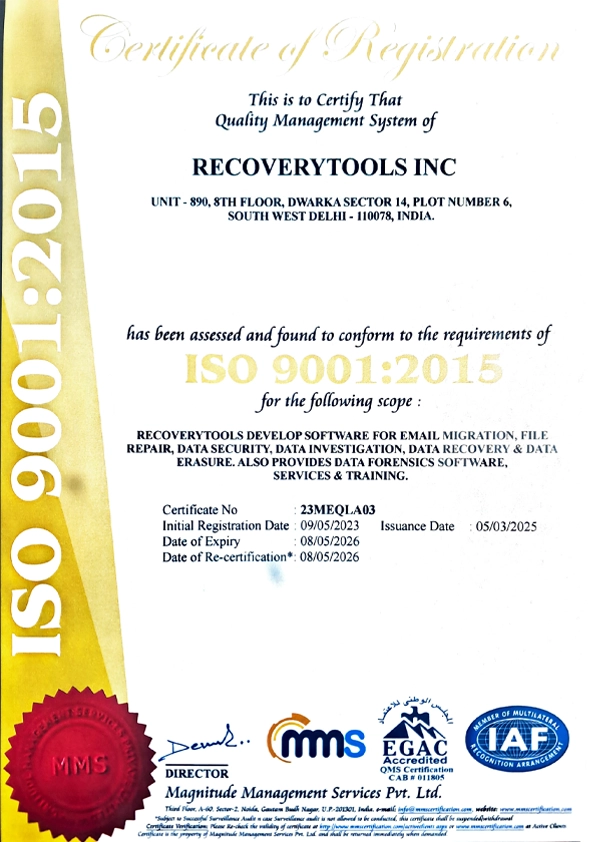
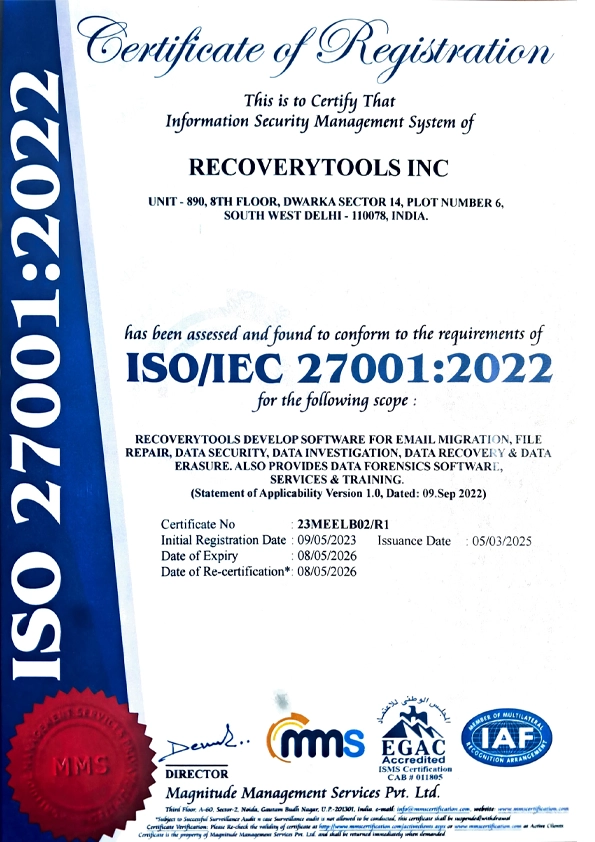
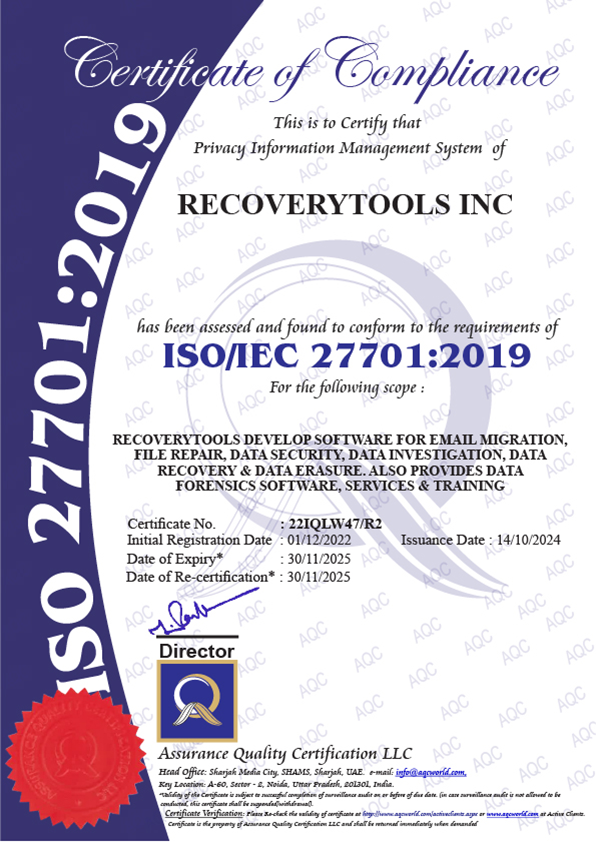
Know Why Most of the Professionals Only Trust RecoveryTools to Convert Mac Outlook OLM files to PST

24/7 Technical Support
Our users know they can reach us anytime with any queries or issues related to our OLM to PST converter. Our dedicated support team is always available to provide the hands-on assistance, so users can experience easy and stress-free OLM to PST conversion. We also provide trial version using which user can download and test the features of the software to convert OLM files into PST for free.

Smooth OLM to PST Conversion
Our OLM to PST Converter tool is packed with all the required features, a user need while converting Mac OLM files into PST such as Batch conversion, selective file/ data conversion, detailed preview, advanced filters, options to customize resultant PST, file naming options, desired destination path, etc. Moreover it has simple user interface and is capable of exporting bulk of OLM files to PST at once.

Convert OLM to PST on Mac & Windows OS
You can export OLM to PST on both Mac and Windows devices. You can download the software on all versions of both operating systems. RecoveryTools OLM to PST converter automatically generates UNICODE PST files to ensure that the generated file is easily compatible with all latest versions of Microsoft Outlook.
Quick & Easy Steps to Convert OLM to PST
RecoveryTools OLM File to PST converter is the well-known tool that most technical experts recommend. There are multiple factors that make this software the best among its other. In addition to that, it is specially tailored to cater the needs of both a technical and non-technical users.
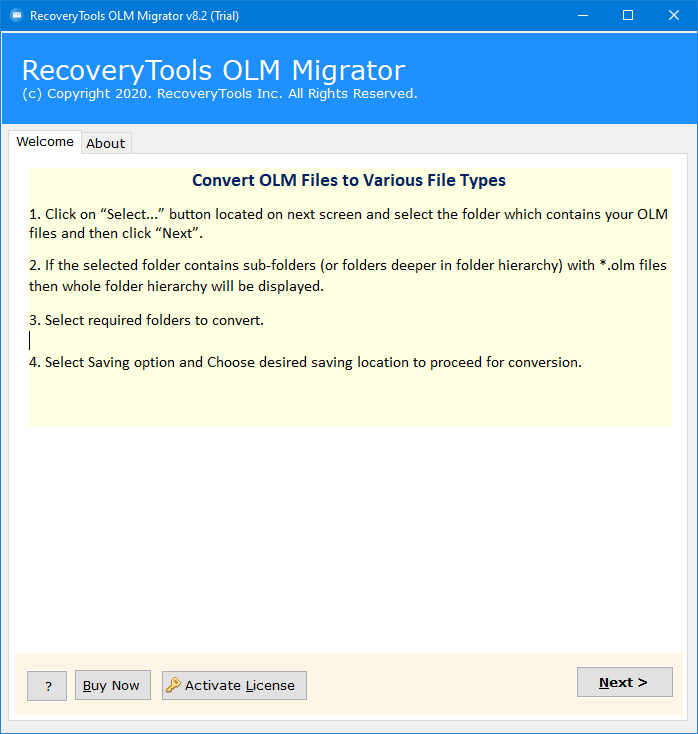
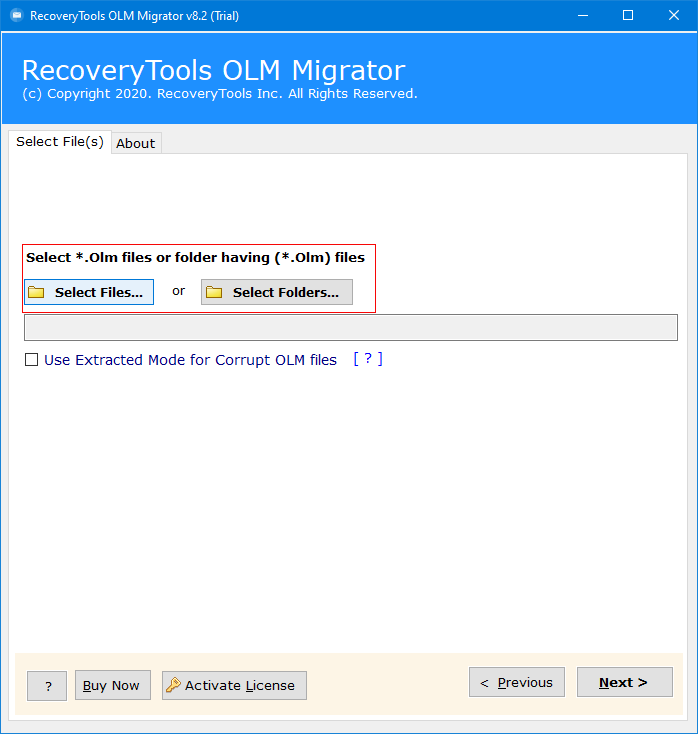
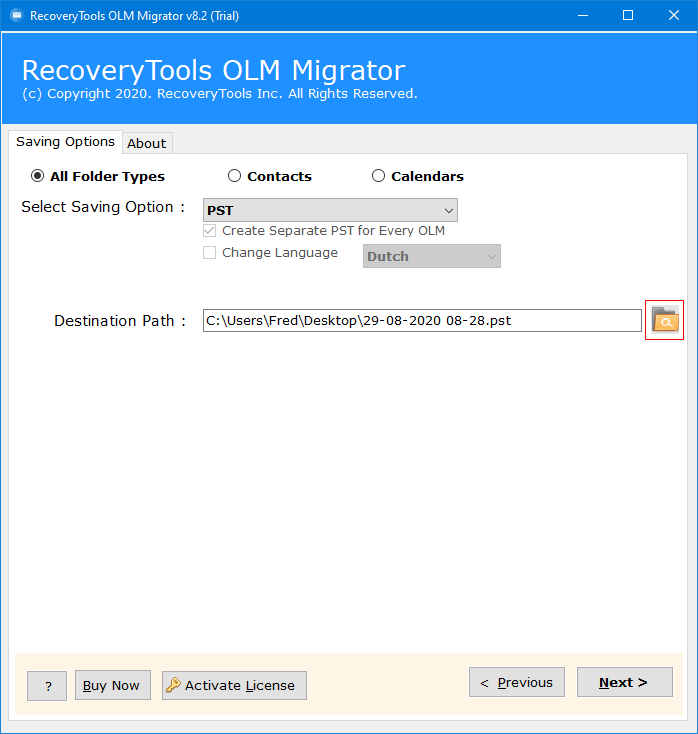
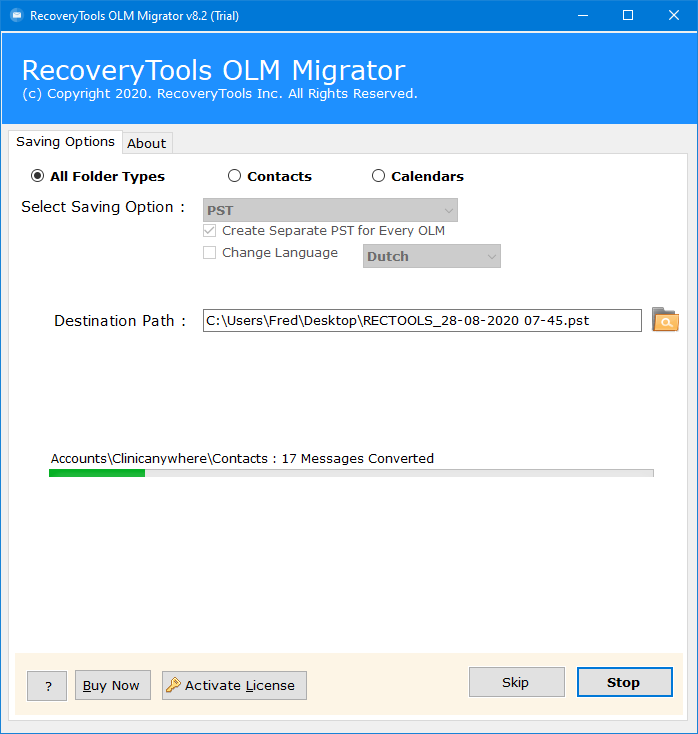
5 Easy Steps to Export OLM file in PST Format:
Key Features

Dual Options to Upload OLM File
The ultimate tool for OLM to PST migration provides dual options to upload single and multiple OLM files using:
Select Files: To upload single or multiple OLM files to the software.
Select Folders: To upload one single folder, which contains multiple OLM files in it.

If you want to create a separate PST file for each OLM file, then select the option to create a separate PST for each Mac OLM file. It will process the requirement of a user in very few seconds which will significantly reduce the time for a user to complete the conversion. This option is enabled in the free demo version of this converter tool for OLM to PST format.

The advanced converter exports the entire mailbox of Mac Outlook database file to PST format.The integrity of emails will remain intact during this process with all properties like Subject, To, From, Date, Inline, images, hyperlinks, etc. The software will preserve all the priority lists after finishing the full conversion.

The ultimate tool is capable to bulk convert users' crucial data to PST format with complete safety, as the tool is designed to convert entire email text & other components with Attachment files including Normal Attachments i.e., Contacts, Calendars, Images, Documents, PPTs, Hyperlinks, or Inline Attachments as MSG or EML files.

The software allows the users to convert Mac Outlook OLM files to PST files along with all inserted attachments. Also, this conversion tool has the power to convert emails from all default folders of the OLM mailbox including Inbox, sent, draft, spam, trash, and other created folders with complete information.

The converter tool creates amazing and highly advanced algorithms, which makes the tool different and ultimate. Also, the software creates Unicode PST file which is supported in all Outlook version including 2021, 2019, 2016, 2013, 2010, and all previous version. So, users can easily use this ultimate tool to export emails from OLM to PST formats.

With the ultimate assistance of the OLM to PST, users can efficiently translate the title of their resultant files or folders in numerous languages like French, German, Spanish, Dutch, and many more, resulting it in more flexibility and advance accessibility among multiple types of users around the world.

Another benefit, the Mac OLM to PST converter provide its users is to select a preferred location path to save the exported data as according to their requirements as the tool has a default path to desktop location by default, however, if the user wishes to save their data at any other location, they can easily do so.

Users no longer need to install Outlook to convert their OLM files to PST as this software utility work completely on offline basis without taking help from any online third-party tool or add-ins, making it an independent and standalone solution for users to directly save their converted files on their local storage.

If you have corrupted OLM files and need to import OLM into Outlook Windows, this tool is the ideal solution. It features an advanced 'Extracted Mode' designed to repair corrupt OLM files. The tool scans for corrupted components and recovers the maximum amount of data possible during export.

By using the best OLM to PST conversion tool, users with any version of the Mac and Windows Operating system such as Mac Golden Gate (Beta), Tahoe, Sequoia, Sonoma, etc or Windows 11, 10, 8.1, 8, 7, Windows Server 2025, 2022, 2019, 2016, etc. can take full advantage of this tool without facing any operating related complications.

This ultimate tool is a complete package for the conversion of OLM files to PST format with all data, as users can easily convert their OLM files with all components including Emails, Contacts, Calendars, Tasks, Notes, Reminders, Events, etc. without making any changes to the original content during the conversion.

OLM to PST converter software is capable to export Outlook for Mac contacts to PST format directly. It is capable to extract each & every information of from the contact easily. Moreover, the is suitable to perform the conversion, Distribution lists, and Groups to PST files with all the details like First Name, Last Name, Email, Primary Number, Birth Date, Home Address, along with Business Address, etc.

Calendar entries from the OLM file can also be exported to the PST database file. All the inline attachments that are embedded with OLM Calendar entries were also transferred to the PST file without any issue. During the process, the Mac OLM to PST converter software will also provide a separate option to convert OLM calendars, events & reminders to iCal file format.
When to Use?

Backup Files in Original Format
Using this tool, users can utilize features to backup OLM files and save them in various email or document file formats, accessing them without any sorts of restriction, and keeping the data formats intact once the export process is completed.

Switching from Mac to Windows Outlook
In the case of switching from Mac Outlook to Windows, users can take help from the automated software tool to convert OLM file in PST format, since Windows and Mac Outlook are not cross-compatible to migrate files.

Accessing Files in Windows OS
The OLM to PST converter can use utilized in times when users have plenty of OLM files that needs to be accessed on Windows operating system, since OLM files cannot be accessed outside the Mac environment.

Standalone and Independent
OLM File to PST converter enable users use more than 25+ export formats, allowing them to save OLM file in required file format without any limitations and platform, third-party or add-ins dependency.
Simplify Your OLM to PST Migration
Attachments, Calendars, contacts, and emails are the core elements of Outlook data. However, converting them from .olm (Mac) to .pst (Windows) is rarely straightforward because the platforms use different file structures. The RecoveryTools OLM to PST Converter bridges this gap by offering the following advantages:

System Specification
Trial Limitations
The Demo version of OLM to PST converter allow to export 25 items from every folder. Users can always buy the advanced converter tool for full version for more latest features and filters without any limitations.
System Specifications
Hard Disk Space
Minimum 200 MB
RAM
4 GB RAM
Processor
Intel® Pentium 1 GHz processor (2.4 GHz is recommended)
Supported Editions
Electronic Delivery
RecoveryTools OLM to PST Converter Software will be delivered automatically. After your payment is confirmed, you will receive an email with a link to download the product and the activation key.
Frequently Asked Questions
Follow 5 Easy Steps to Convert OLM to PST Format:
Yes, the tool can convert minor damaged OLM files to PST format easily.
No, it is not possible as Windows does not support OLM files since .olm is an Outlook format that supports Mac users. Transformation to PST format is necessary to make sure for successful accessibility and import in Windows Outlook.
Of course. A reliable converter like this one ensures to sustain not just inline images and attachments, but hyperlinks, text formatting, as well, during and after the conversion process is completed.
Absolutely. This modern converter offers the feature of choosing files selectively, enabling users to convert only the necessary folders according to date, subject, sender, or receiver’s data, and more.
No. The OLM to PST converter guarantees that the conversion process is performed on users’ local systems, making it completely safe and secure. Additionally, since our tool is certified it does not share or upload any sort of users’ data on any online platform whatsoever, for total safety and security.
Yes, The trial version of this tool enables users to export 25 items from every folder. Through this, users can easily test out the tool before making the official investment.
Yes, the software is compatible with all Mac Outlook versions including Outlook 2011/2016/2019/2021.
Yes, there is no need for an internet connection. This is offline OLM to PST converter software.
Yes, you can export emails from all folders including Inbox, Sent, Trash, Spam, Draft, etc., from OLM to PST format.
Yes, for multiple mailbox conversion, software provides Add Folder option. Use this option to bulk convert OLM to PST Mac & Windows OS.
License Comparison
 Download
  Buy
Buy Hear What Our Clients Have to Say?
"I had a large backup of OLM files on my hard drive that I needed to convert to PST to access the data. I tried several other converters, but most failed due to the large file size. Thankfully, this software handled the large files perfectly."


Gene Sebestian
"This software is very effective solution that helped me in very simple & impressive manner. I am shifting to new Office where my team is using only Windows Outlook program. While I was using Mac Outlook software in my previous office."

Justin Hensen
"This tool has been proved to be an ultimate for me. I have some damaged OLM files that includes my crucial data related to Office word. I want to migrate the data from these files into PST format. Unfortunately, there was no way manually to do so. At last, I found this converter for OLM to PST."

Nikk Smith
My firm recently switched from Mac to Windows. Due to this, we were looking for a reliable tool that could safely convert all the OLM files and folders in PST format without the risk of data loss or leaks. Thanks to the OLM to PST converter, we were able to do so and saved so much of our time and effort"

Vivian Lee


 Support
  Blog
Blog  +1 7025533020