

Screens

Video

Guide
Download compliance-ready, professional-grade email backup tool to create secure copies of emails from 200+ email services like Office 365, Gmail, IMAP, Yahoo, etc to PST, PDF, MBOX, EML, MSG, CSV, Outlook, Thunderbird, etc or save them to any platform or devices.
 100% Safe and Secure
  30 Days Money Back*
Fast and Secure Way to Migrate Your Email Data Between Any Platforms
Our Cloud Migration Services will help you securely archive emails from any email platform to another while preserving complete data integrity. Our dedicated migration team ensures a smooth and successful data transfer, addressing any issues that may arise.
When your email data matters, choosing the right email backup wizard matters even more.
RecoveryTools email backup solution is packed with everything a user need to backup emails.
Email Source & Export Options
Email backup tool is an expert verified utility, tested against industry standards for backing up emails from 200+ email provider like Gmail, Yahoo, Office 365, IMAP, Exchange Server, Outlook.com and more with advanced encryption and secure authentication. It is a dedicated email backup solution to save emails in 35+ saving options including popular file formats and email platforms like PST, PDF, MBOX, Gmail, Outlook, Thunderbird, Office 365, IMAP, etc.
Supports Backup from 200+ Email Services
It is a widely compatible software that allows you to backup emails in bulk from all IMAP, webmail, cloud, and iCloud email accounts using simple details like your email address, app/normal password, and IMAP server information (for IMAP accounts).
This reliable tool can save emails from Cloud accounts, Bluehost, Namecheap, HostGator, cPanel, Horde, Asia.com, Gmail, Google Workspace, Office 365, IMAP, Yahoo Mail, Outlook.com, Exchange Server, Zoho, Zimbra, Rediffmail, Earthlink, and other 200+ services. If you don’t find your desired source email client, then you can choose IMAP and provide your server login details here.

35+ Email Saving & Export Options
Most of the email backup tools in the market support backing up emails to only a few limited formats. However, RecoveryTools email backup wizard overcomes all these limitations by providing variety of saving options to users. Saving your emails as a backup saves your time and energy and also protects your data for future safety. But saving them into standard and easy-to-access format is a more essential task. So, our RecoveryTools email backup tool provides 35+ standard saving types for the user’s ease. Some of them are given below:

Advanced Email Backup Features
Smart saving & filter options of email backup wizard simplify complex email backup tasks and save storage, time, and processing resources.

Automated Backup Scheduler

Guaranteed Data Security & Integrity
RecoveryTools Email Backup Software is trusted by millions to download emails with complete integrity, including all mail elements like attachments, formatting, headers, and folder structure, and enhanced security options like:

Step-by-step tutorial & video guide: Learn how to use our tool to create safe email backups
Compared to other Email backup solutions in the market, RecoveryTools Email Backup Software is more easy to use for both beginners and professionals. Its clean interface, quick setup, and straightforward steps make backing up emails fast and hassle-free, without requiring any technical expertise.
Backup emails in bulk in just 6 simple steps:
Notable features of email backup tool that make saving emails easy, fast, and effortless

It is the one-stop solution trusted by professionals and everyday users to backup emails from 200+ web/ IMAP/ Hosting/ SAAS based email clients into 35+ standard file types or archive emails to another email client.

Automated Backup Scheduling
The email backup tool will allow you to schedule email backups with its complete scheduling features. You will be able to set the frequency, start time, and run time of your email backup all without having to manually perform the task.

RecoveryTools email backup wizard provides delta/ increment backup feature that helps you download only new or modified emails. This is the most reliable and advanced email backup solution that helps you to avoid email duplication and makes the backup process faster & smoother.

Full Email Integrity Preserved
Backup email data with every component of your emails preserved across all supported services. The tool retains attachments, original formatting, headers, inline images, attachments, folder & subfolder hierarchy, and metadata (e.g., To, Cc, Bcc, From, Data). Ensures the same look and feel even after email archiving.

Advanced Filter for Selective Backup
Simplify your complex email backup needs with filter options to sort and backup emails based on Date Range, To/From, and Subject. Our advanced tool lets you precisely exclude emails containing specific keywords and skip attachments, giving you the control you need over your email data.

Quick Search Options
Use email backup software's built-in-search to search for email providers quickly. Locate your email provider in seconds and quickly begin the email backup by eliminating having to scroll through all of the email providers to find your desired provider.

Preview & Select Email Folders
This email backup tool shows you all the folders (tree view) of your entire mailbox in one visual display. You can check or uncheck any specific folders that you want to backup based on your needs, allowing you to easily bypass irrelevant emails before you start.

Dedicated IMAP Server Support
Full support for all IMAP enabled domains is provided by email backup software. Just enter your username/password credentials, your dedicated IMAP host, and port number; log in directly and backup your messages from the server securely.

With a proxy setup option in our email backup wizard, it is easy to get around network restrictions or regional blocks. Therefore, you can continue to connect to your email account seamlessly and to perform a private email backup from the cloud without issues related to your network.

Email Extraction Utilities
The email backup tool offers various robust extraction options to make the email archival process simple and to reduce effort & save time.

Email Backup Service
Backup email data from 200+ email services with professional assistance. In case you are dealing with sensitive data or complex email backup needs, our support experts can remotely perform the email archival on your behalf with certification. For email archival services, directly connect with the support team.

Scalable Backup Modes for Teams & Tenants
Download emails from multiple accounts in one go. RecoveryTools email backup utility has bulk saving options.

On-Demand Tool Customization
Meet your custom email data archival needs with the add-on option of the email backup wizard. We have an in-house development team to precisely modify the email backup software for you to conveniently bulk download your emails with attachments in the most secure way.

Language Selection for Global User
RecoveryTools Email Backup Tool supports exporting email data in multiple languages, including English (default), Dutch, German, French, Spanish, Norwegian, Swedish, and Italian.

The I Am Admin option of the email backup wizard has exclusive SaaS email archiving. For accounts like Office 365, Exchange Server, or Google Workspace, you can save emails with contacts & calendars. It also enables you to batch download emails from all user accounts under the admin.

Choose Where to Save Emails
Flexible options to backup emails at any desired path/ destination. You can backup emails to a USB drive, any desired partition, or to another email client with an exact label and sublabel structure. Backup files are cloud-friendly, giving you the freedom to keep them online for anytime access. You can also auto-split files into a manageable size with the split PST option.

Multiple File Naming Options
Email backup software has multiple file naming options such as Subject + Date (dd-mm-yyyy), From + Subject + Date (yyyy-mm-dd), From + Subject + Date (dd-mm-yyyy), Date (dd-mm-yyyy) + From + Subject, Date (yyyy-mm-dd hh:mm:ss) + From + Subject, and Date (yyyy-mm-dd hhmm). So you can easily locate the files when you need them or at the time of email retrieval.

Simple & User-Friendly Interface
The email backup tool has an Ad-Free, easy-to-use interface. It enables you to bulk download emails in just a few clicks. Archive emails without any technical knowledge or setup with the lightweight email backup wizard.

Detailed Log Reports
RecoveryTools' robust email backup solution automatically generates a detailed log report after backing up email data with information like email source, destination/ output type, number of emails/ folder backed up, time, date, and success status.

100% Secure & Compliance-Ready
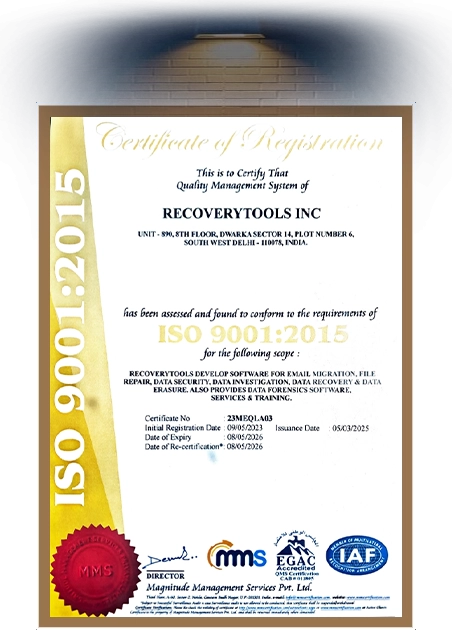
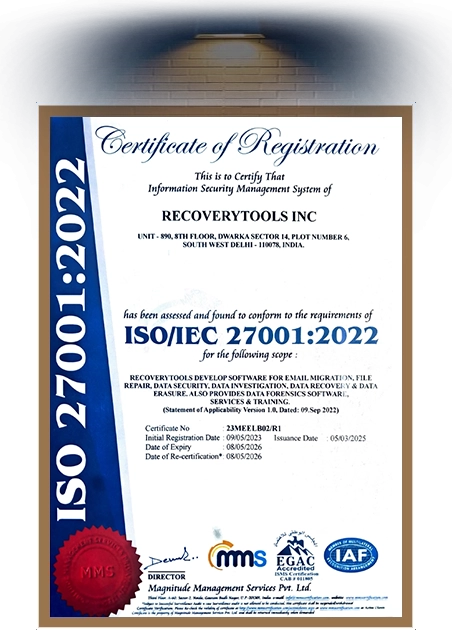
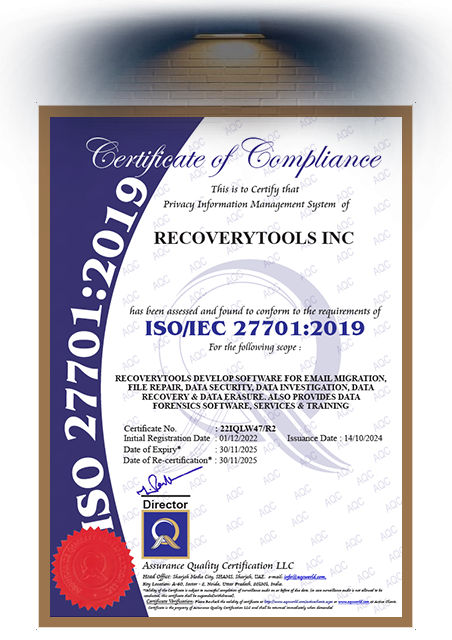
RecoveryTools Mail Backup tool is an enterprise-grade, compliance-ready mail archiving solution. Guaranteed local processing with advanced security enhancements like Google OAuth & Microsoft Graph, and giving you end-to-end encrypted email backup, providing you with complete control over your email data.

24/7 Expert Customer Support
RecoveryTools provides dedicated 24/7 live chat support for users worldwide. Our team addresses all email backup-related issues for smooth & error-free email backups without interruptions.

Our email backup service tool is highly compatible and easy to setup. It is available for both Mac (X OS 10.8 Mountain Lion and all the latest Editions) Windows OS (11, 10, 8.1, 8, and 7) including Windows servers (2025, 2022, 2019, 2016, 2012, 2008, etc.) So that, all types of users can easily install this solution.
Safeguard your communications, prevent data loss: an email backup solution makes it easy to care for your essential emails

Business Owners and Enterprises
A business needs a clear track record of all conversations to grow safely and legally. An email backup wizard can help businesses store their confidential information in the event of a ransomware attack, accidental deletion, hardware failure, or server downtime.

IT Administrators and Data Care Professionals
Professionals use fast and reliable tools to backup large volumes of email quickly, which enables organizations to create disaster recovery plans and implement an efficient method to transfer large volumes of emails. Email backup wizard helps organizations to restore lost email data from backups quickly.

Freelancers and Independent Professionals
Email backup wizard creates a safeguard for independent contractors' business records by protecting them from government hacking or service provider failure, allowing them to restore access to their most critical documents quickly (e.g., in an offline format).
All the System Requirements Mentioned Here to Install Email Backup Software
Trial Limitations
The demo edition lets you backup 25 email items per folder so you can quickly test how the email backup tool works before upgrading.
System Specifications
Hard Disk Space
Minimum 500 MB
RAM
4 GB RAM
Processor
Intel® Pentium 2.4 GHz processor
Operating System
Electronic Delivery
After successful payment, you’ll automatically receive an email with the download link and activation key for the RecoveryTools Email Backup Wizard.
User Queries and Common Concerns Answered
RecoveryTools Email Backup Wizard is a dedicated desktop program that automatically saves emails in bulk from 200+ email services with attachments and complete data integrity for long-term email storage and preventing data loss or email-disaster situations.
Yes, RecoveryTools Email Backup Wizard free download and trial is available, but it comes with limited features allowing you to evaluate the tool before committing.
Yes, the email backup tool can securely back up TBs of email data without errors from multiple accounts simultaneously using advanced algorithms and large data-processing capabilities, making it suitable for business or corporate email archival.
Yes, you can bulk save emails to a USB flash drive using the RecoveryTools Email Backup utility. Just connect the flash drive to your computer and choose it as the saving destination.
After purchasing our mail backup tool, you will get an activation key in your mail. Download the mail backup software and provide the key details in the software.
Yes, RecoveryTools Email/ Mail Backup Software is completely secure. It follows industry-standard security practices, supports OAuth 2.0 login (Google, Microsoft, etc.), and works with secure Proxy Servers to keep all data private & encrypted. Your credentials are never stored, and all processing happens locally on your system. .
Yes, it is very good to have a backup of your emails. Having a copy of your emails prevents accidental deletion, server downtime, or virus and cyber-attack situations.
RecoveryTools Email Backup Tool has no limit on the number of email accounts you can backup. You can download emails from multiple accounts at the same time with complete accuracy.
No, with our email backup solution, formatting, folder hierarchy, metadata, and attachments will remain 100% intact.
If your service is not listed in the source email client list, then choose IMAP and provide all asking details about your email service.
Yes, our automated email backup wizard lets you backup/ cross-archive emails from one account to another with complete data integrity.
Don’t worry, if you face any errors then we are here for you 24*7 through live chat. You can contact us anytime.
No, Only the Enterprise-grade license edition of Email Backup Wizard supports "Schedule Backup" feature. However, you can test this feature using trial version of the tool.
Our Trial is the Best Free Email Backup Software Experience
 Download
  Buy
Buy Feedback from Clients
"I can say it is the best email backup wizard currently available for downloading mail from Cloud Webmail accounts. This email backup software allows users to migrate emails from one email account to another in a cloud environment. I am delighted with the work of all the developers of this Email Backup application."


Rachael Mueller, Oslo
"I like the simple layout of this email backup software, which makes it comfortable for users to work with it. The application is also self-explanatory, so whenever a user faces any problem, it provides troubleshooting instructions. Email Backup Wizard also provides the facility of live chat for 24 hours."
Myra Carrol, Helsinki


 Support
  Blog
Blog  +1 7025533020
 Download Now
  Download Now
