CNET says RecoveryTools IMAP backup tool allows to securely connect to several IMAP accounts at once and easily backup data without loss.



Expert-trusted IMAP backup tool to securely backup unlimited emails from multiple IMAP-based domains. Download this offline software to backup IMAP mailbox directly to a computer, local folder, external hard drive, or USB. Easy tool with powerful built-in features like 35+ export options, batch mode, incremental backup, advanced data filters, detailed preview option, etc for Mac & Win.
*IMAP Backup Wizard Free Version to Backup First 25 Emails Free.
Want Easy Migration From IMAP to Another Account?
RecoveryTools offers top-notch Cloud Migration Services to seamlessly move data from one platform to another. Get highly skilled experts support for flawless migration process.
Easiest Solution to Backup IMAP Emails

Step 1: Download RecoveryTools IMAP Backup Tool.

Step 2: Select and Login to your IMAP Account.

Step 3: Preview and Select Desired Folders then Pick a Saving option.

Step 4: Use filter features for selective conversion.

Step 5: Now click on “Backup” icon to start.
Why Does IMAP Email Backup Matter?

Server Limitations
Most IMAP email services have storage limitations. You get a storage limit, and saving IMAP emails locally stops permanent loss if your accounts exceed quotas or get disabled.

Ransomware Threats
Sometimes, cyberattacks, malware, and ransomware can compromise IMAP email accounts. Storing all IMAP emails helps to access data without depending on affected server.

Accidental Deletion Syncs
Log in to email account on multiple devices and accidentally delete your account on one of those systems, it will be deleted everywhere. IMAP email backup software protects your important emails.
Most advanced solution to backup IMAP accounts without losing data and formatting

Backup IMAP Without Limits
Backup unlimited number of emails from multiple IMAP accounts without any technical knowledge with privacy.

Keep Hierarchy of Backup
IMAP backup tool also maintains original structure and hierarchy of folders as they were.

Flexible Backup Options
Choose exactly what you want to backup. Save IMAP backup with flexible advanced filtering options.
35+ Save Options
File Types and Formats

Document & Files
PDF, DOC, DOCX, HTML, XLS, XLSX, XPS, RTF, CSV, MHT, Zip

Email Formats
PST, MBOX, MSG, EML, EMLX, OLM, Maildir, NSF, TGZ

Desktop Email Clients
MS Outlook, Thunderbird, Lotus Notes, Windows Live Mail, Zimbra, Mac Mail

Email Servers
MS Exchange Server, Hosted Exchange Server, Exchange Online & More.

Cloud Email Services
Gmail, Office 365, Outlook.com, Yahoo, Google Workspace, IBM Verse, AWS Workmail, IceWarp, and More.

Other
Extract Email Addresses, Save Email Attachments, Extract Contacts, Move Redirect Links, Remove Attachments
All Storage Devices Supported

Hard Disk
Export IMAP Mail data directly to hard disk.

Folders
Organize IMAP Emails in system local folder.

USB
Store IMAP Mail data on SD memory cards.

SD Card
Preserve IMAP server data on high-speed SD.

SSD
Save IMAP account data on new or old SSD.

PC/Laptop
Full compatibility with all types PCs & laptops.
Data Types Supported by IMAP Backup Tool

Folders

Emails

Attachment

Headers

Footers

Subjects
Check Exclusive Features

Universal IMAP Compatibility
IMAP email backup wizard works with every popular email services like Gmail, Outlook, Yahoo, Exchange Server, Dovecot, Dedicated Server, Hybrid, VPS Hosted, Synology, and Cyrus, any custom IMAP server. Users can easily connect to any account and download all emails as a backup without worrying about limits. Just login and store emails on local PC.

No Data Size Limitation
IMAP backup wizard has no restrictions on mailbox upload size. Easily backup one or more IMAP email servers including large data and multiple mailboxes at once. Users can store GB of IMAP emails with attachments effortlessly. The specialized IMAP backup tool allows you to backup IMAP emails without any interruptions or limitations.

Batch Mode to Backup Multiple IMAP Accounts
Save your time by downloading several accounts, folders, or emails simultaneously with IMAP mail backup software. No need to repeat process again and again. Upload a CSV file containing account credentials. Users can automatically backup all of their IMAP accounts at once without wasting time.
Advance Filter Settings
Select and save IMAP server mailbox you need. Users can filter emails by date, sender, subject, or size. IMAP backup tool keeps storage optimized and also avoids unnecessary or duplicate emails when users saving email account data on local drive.

Selective Folder Option
Select and store any folder, such as Inbox, Sent, Archive, and others that you want on local or hard drive. Uncheck and then remove unwanted folders or any specific words from an IMAP server mailbox before starting IMAP backup process.

Automatic Incremental Backup
Don’t back up everything again. Incremental backup features in IMAP mail backup tool for Mac and Windows help users to save automatically new emails. Users can skip items whose backup was last time. No technical struggles and save storage space when they backup IMAP email server.

Attachment Handling
Easily handle attachments when backing up IMAP emails. There is option of IMAP mail backup software to backup attachments in their original formats such as JPG, PNG, Excel, DOC, and other formats. Users can also choose to delete them or save them separately on their system, depending on their needs.

Cross Platform Support
RecoveryTools IMAP Backup Tool for Mac and Windows supports all versions including Windows 11 (64-bit), 10, 8, 7 (32-bit and 64-bit), and Windows Server 2025, 2022, 2019, 2016, 2012 R2, 2008, etc and Mac Golden Gate (Beta), Tahoe, Sequoia, Sonoma, Ventura, Monterey, Big Sur, Catalina, Mojave, High Sierra, etc.

Custom Backup Location
Select any destination to save backups. Users can choose any location, whether it’s a local drive, external hard disk, network folder, & cloud-synced folder. This tool gives full flexibility to users to store data where it’s most convenient.

PST Save Options
Exporting or saving IMAP Server backups in PST format give users the option to split large files into smaller sizes that prevent corruption. The smaller size PST file can be easily transferred or stored IMAP backups.
Anyone can easily open & access IMAP domain's mailboxes locally

Personal & Professional Users
Keeping important Office 365 emails and files for personal or client records indefinitely without a data limit.

Small & Medium Businesses (SMBs)
IMAP backup tool is best for growing businesses that require secure backup solution to manage critical email communication

IT Admins & System Managers
Empower IT teams to guarantee direct backup, migration, and restoration of IMAP email data to all users.

Enterprises & Organizations
Secure and effectively manage large volumes of email data in enterprise-level networks and organizations.

Transferring Between Email Providers
Simplifies process of migrating or moving data between different email providers without technical trouble.
Frequent Travelers
Access IMAP emails from many devices & site can cause issues. Backup IMAP file to stop losing critical data.
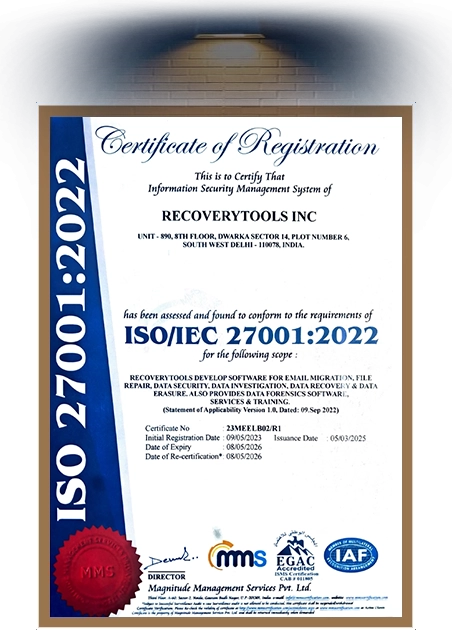
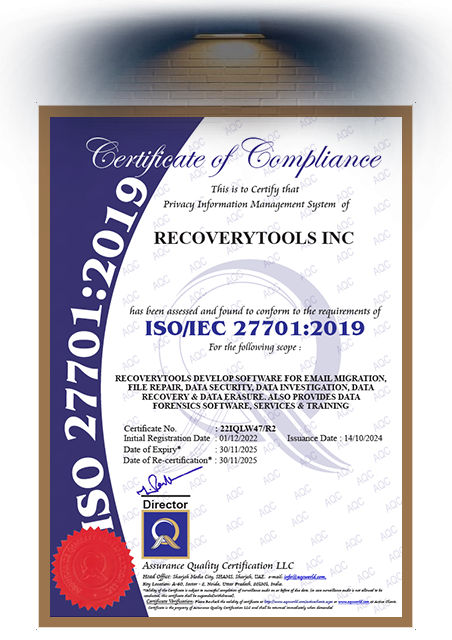
Data Security & Data Management are the Top Priorities of Our IMAP backup software
Download the software for free to test its features and functionalities before choosing us.
Our one-stop IMAP mail backup tool is designed for all types of IMAP backup
Regional IMAP Backup
Securely backup all your IMAP emails from local, geographically specific internet service providers.
Global IMAP Backup
IMAP backup tool allows to effortlessly backup your IMAP mailbox data from international and globally used email service providers.
Personal IMAP Backup
Backup easily your personal conversations, important file attachments and regular communications from personal accounts.
Professional IMAP Backup
Backup successfully all business communications, client correspondence, and critical business information from corporate email accounts
Data Centre based IMAP Backup
Integrate and back up vast amounts of IMAP data from high-capacity data center mail servers, ensuring fast and complete recovery.
Webmail IMAP Backup
Backup IMAP email from popular web mail clients, easily bypassing standard web browsing limits on accessing and managing email directly from the IMAP mail server.
Cyrus IMAP Backup
Backup IMAP email that is located on Cyrus IMAP servers, fully preserving sub-directory structures and necessary email headers.
Synology IMAP Email Backup, etc
Backup IMAP efficiently and accurately any, personal or business, email from your Synology NAS devices with our ultimate IMAP backup tool.
Software Requirements

| Name: | RecoveryTools IMAP Backup Wizard |
| Version: | 7.5 |
| Size: | 77.1 MB |
| Delivery: | Free via Email |
| Free Version: |
What's New?
v7.5 Features
|
Trial Limitations: |
The trial version of IMAP Backup Tool is free to download. It limits the processed emails to 25 per folder. To remove this limitation, purchase the licensed version. |
| Hard Disk Space: | 200 MB of free hard disk space required |
| RAM: | 4 GB of RAM |
| Processor: | Intel® Pentium 2.4 GHz (Recommended) |

|
Platforms: |
Windows OS: 11, 10, 8.1, 8, 7, etc. | Mac OS: 27, 26, 15, 14, 13, 12, 11, 10.15, etc. | Windows Server: 2025, 2022, 2019, 2016, 2012 etc. |

|
Product Guide: |
Decide with Confidence
 Download Now
  Buy Now
 Queries & Answers
Yes, RecoveryTools IMAP Backup Tool provide easy IMAP to IMAP Migration process that helps users to switch from one email provider to another. There are users don’t need any technical setup. Follow some steps to complete IMAP to IMAP Migration:-
Yes, the RecoveryTools IMAP Backup Tool works with all types of Windows and Mac operating systems without any compatibility issues.
Yes, you just need to create a CSV file with all email account login details, and then software fetches the logins and gives you a complete backup of all 10 IMAP accounts.
Yes, with RecoveryTools IMAP Backup Tool, users don’t need to worry about the metadata; it gives you complete structured data as it was in the IMAP account.
What Our Customer Says?
"This IMAP Backup Tool was a lifesaver! I was able to easily backup all of my IMAP emails and avoid losing important information. Highly recommend it!"


Sofia Jhons, Sweden
"I found this IMAP Backup software to be really user-friendly and intuitive. It was easy to set up and saved me a lot of time and stress."
Jeremy Wilson, Tokyo
"I appreciated the ability to batch process multiple email accounts with this tool. It gave me peace of mind knowing all my emails are being backed up without me having to do it one at a time."
Rian Cooper, United States


 Support
  Blog
Blog  +1 7025533020