Screens

Video

Guide
Safely store your Exchange mailbox data with complete accuracy and zero data loss.
 100% Safe and Secure
  30 Days Money Back*
*Free Live Demo - Exchange Server Backup Tool Fully Secured Download Version
Microsoft Exchange stores critical information. A reliable tool lets you back up Exchange Server emails and protect this data from accidental deletion, server failure, etc.

Secure Exchange Mailbox Backup
An Exchange backup software gives you consistent and secure backups of your Exchange mailbox data, independent of Microsoft’s retention policies.

Quick Exchange Data Recovery
With an Exchange server backup tool, you can quickly restore deleted or corrupted emails and get back all your important conversations.

Exchange Backup for Compliance
Microsoft Exchange backup software will help you meet legal and compliance requirements, by providing you with long-term, accessible copies.
Supports All Popular Saving Options

Office 365

MSG

EML

EMLX

Exchange Server

Hosted Exchange Server

Google Workspace

IBM Verse

Amazon WorkMail

IceWarp

IMAP
Features & Benefits

Batch Exchange Backup
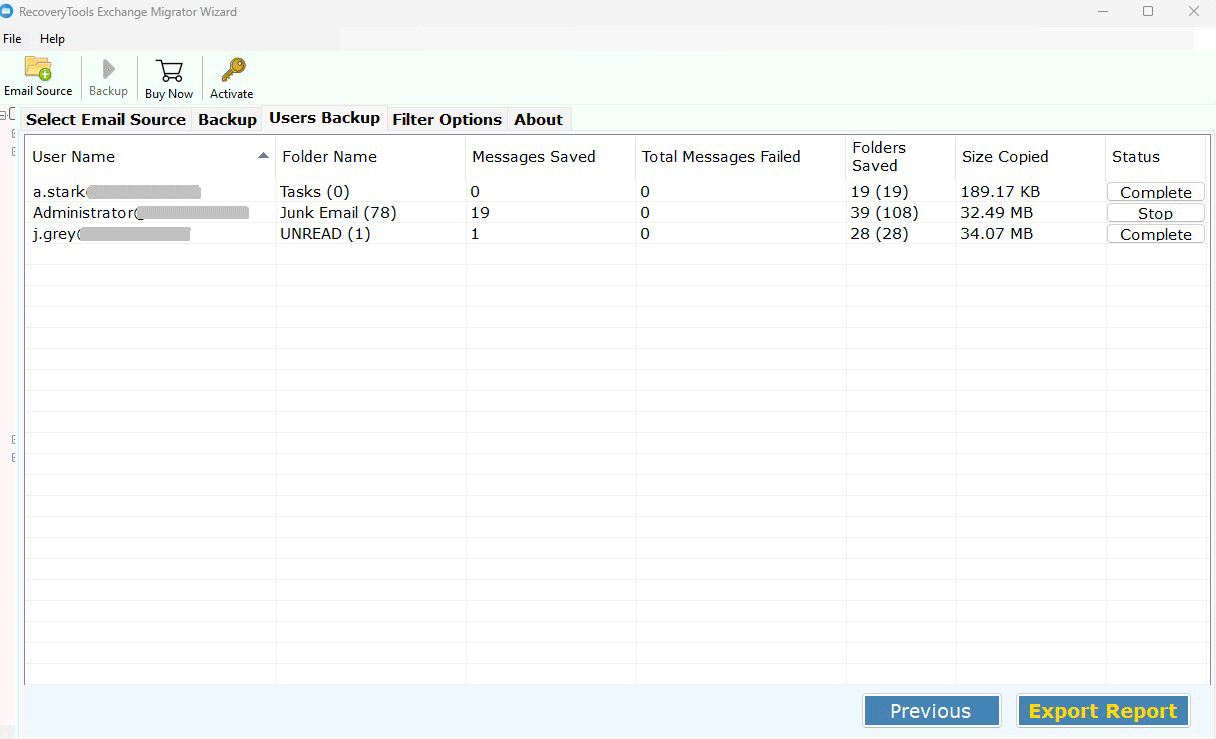
The Exchange backup tool can perform a batch process by allowing you to back up multiple Exchange accounts at one time. This allows you to save time by reducing the manual effort you have to put into backing up Microsoft Exchange server, thus, speeding up the backup of the Microsoft Exchange server. The batch mode is especially advantageous for companies that are managing large Exchange server environments.

Preview Exchange Mailbox Folders
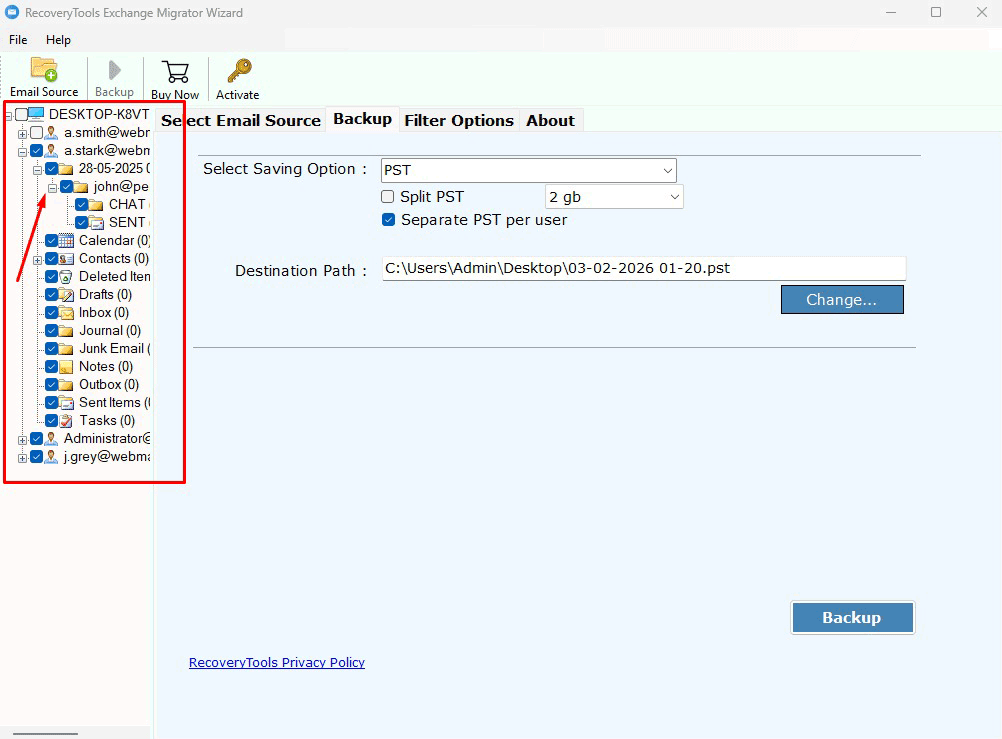
After login, the Exchange backup software lists every mailbox and folder with its item count. This lets you check that the right mailboxes and folders are selected before the backup starts, so errors and unwanted data are kept out of the Exchange Server mailbox backup process.

Multiple Backup Formats
The Microsoft Exchange backup software can be used to backup Exchange emails in different file formats. Therefore, you will have the opportunity to choose the best format to suit your needs for storage, access and backup of your Exchange mailbox data. This ability to utilize different formats for your Exchange backups increases the overall productivity of Exchange mailbox backup solutions.

Backup to Email Clients
The Exchange server backup tool allows you to backup your Exchange mailbox data directly to other email clients. This eliminates the need for complex manual steps when backing up Exchange email data prior to migrating email to another email client. Therefore, this will provide for a smoother migration to a different email client.

Advanced Filter Options
Exchange backup solutions include advanced filtering features for selective backup of Exchange email items. Email filtering can be performed by date range, from a selected folder, or based upon various other criteria. These advanced filtering methods allow more precise and faster backups for Microsoft Exchange Server.

Safe & Lossless Backup
The Exchange backup solution ensures that all email messages and their corresponding folder structures are preserved. The tool connects to your Exchange Server and copies every item as it is, so there is no data loss during the Exchange email backup process.

Maintain Folder Hierarchy
When using the Exchange backup software, the folder structure remains intact, meaning all emails will have the same structure as they were originally found within the Exchange mailbox when performing a backup.

Bulk Exchange Mailbox Backup
Exchange backup tool provides a way to perform bulk backups of multiple Exchange mailboxes, while managing large volumes of email quickly and efficiently. Therefore, backups of Exchange are performed quickly, reliably and cost-effectively.
Video Tutorial
Know the specifications to use the tool to backup Exchange Server emails
Software Download
Program Name: RecoveryTools Exchange Migrator Wizard
Version: 10.0
File Size: 68.3 MB
System Specifications
Hard Disk Space
500 MB Space
RAM
256 MB RAM
Processor
Pentium IV Processor
Demo Limitations
Supported Editions
Electronic Delivery
RecoveryTools Exchange Migrator Wizard will be delivered automatically. After your payment is confirmed, you will receive an email with a link to download the product and the activation key.
Questions that are commonly asked by our users to backup Exchange emails.
You can add multiple accounts at once from a CSV file. Follow these steps:
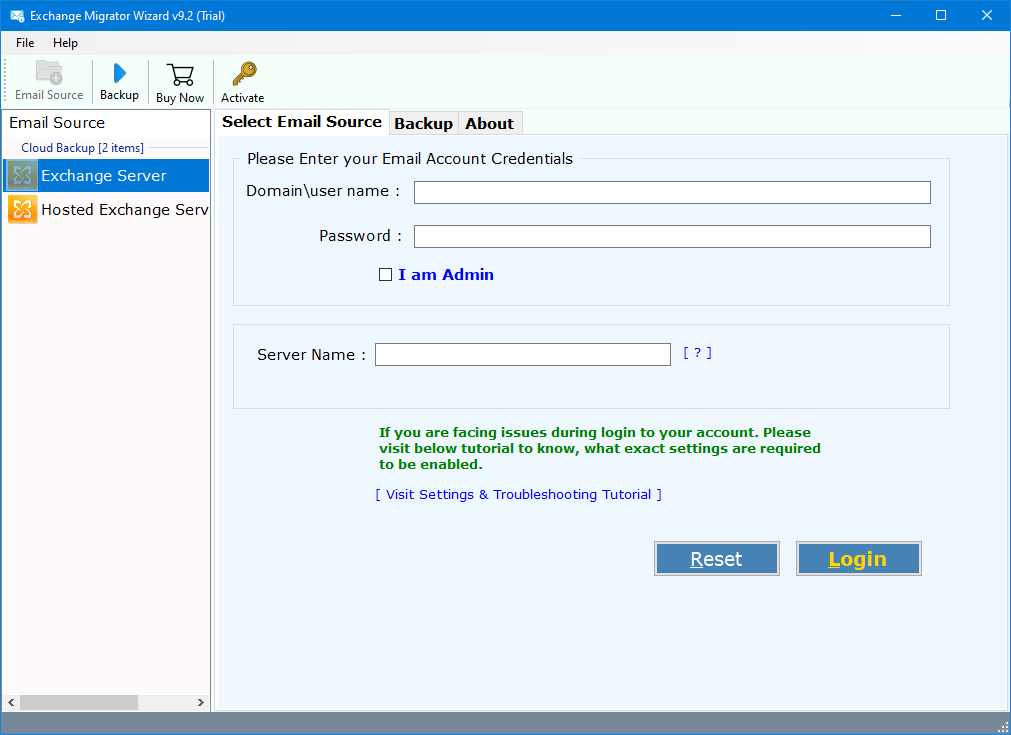
Yes, our Exchange Server backup software can back up all user mailboxes from an admin account. Just select the I am Admin option on the login screen.
The trial backs up only the first 25 emails from each Exchange Server folder. To back up complete mailboxes without any limit, activate the software with a licence key after purchase.
Yes, the Exchange Server backup tool lets you back up only selected Exchange Server emails by applying filter settings.
In case of any problem while using this software, you can reach our support system. Our team of experts is available 24 hours a day.
Read what our happy clients say about our Microsoft Exchange backup tool.
"Amazing and incredible words go with utility. Exchange Server backup software is the most captivating tool I have ever used. With so many features in its kitty, the tool has a knack for all attributes. You designers are just amazing and thank you for the product."


James Michael, Ukraine
"I've never found a tool with so many functions. The utility is just a perfect package in terms of both work and money. The most popular feature of Exchange Server Backup Mail is its credibility to work on any platform. Thank you, team! for such an amazing product. A big praise! for your success."
Olego Tokihamo, Tokyo
"RecoveryTools Exchange Server Backup software helps me a lot to download emails from Exchange Server account to local storage. It is a very helpful & intuitive solution to save Exchange emails, contacts, calendars & other items in a very simplified manner."
Herald Gaiki, Portland


 Support
  Blog
Blog  +1 7025533020
 Download Now
  Purchase Now