Screens

Video

Guide
Download Free Demo Version to Convert 25 items from Each Folder
 100% Safe and Secure
  30 Days Money Back*
Significant Benefits of SmarterMail Migrator

Migrate SmarterMail Emails
Move SmarterMail emails to PST, MBOX, EML, Office 365, Gmail and many more formats or accounts.

Migrate SmarterMail Contacts
This tool has two file types to export contacts: vCard (.vcf) and comma-separated values (.csv).

Migrate SmarterMail Calendar
You can migrate your events and appointments quickly with this tool.
Export your SmarterMail Data in Popular File Formats

PST
EML

Windows Live Mail

Lotus Notes

Zimbra

Thunderbird

Office 365

Exchange Server

Yahoo

Google Workspace
Understand Why SmarterMail Migrator is the Prime Choice for Users

Migrate SmarterMail Mail to Various Popular File Formats
This software lets users migrate SmarterMail emails, contacts, calendars, tasks, notes, etc. into popular file formats on the hard drive. Users can pick any saving format shown in the software panel.

The SmarterMail Migrator lets you export the whole Address Book with all details from a SmarterMail mailbox. One can export SmarterMail Contacts to Comma Separated Values (CSV Files) or vCard Contacts File (VCF) having all details like Name, Email ID, Address, Phone, Mobile and other Address Book fields.

This SmarterMail migration tool keeps the on-disk folder hierarchy of each mailbox. The output folders are mapped to the source SmarterMail folder structure, so all items are easy to find.

This application enables the users to convert SmarterMail emails along with all inserted attachments. Many users face trouble keeping the original format when they move SmarterMail emails manually. This application solves that problem.

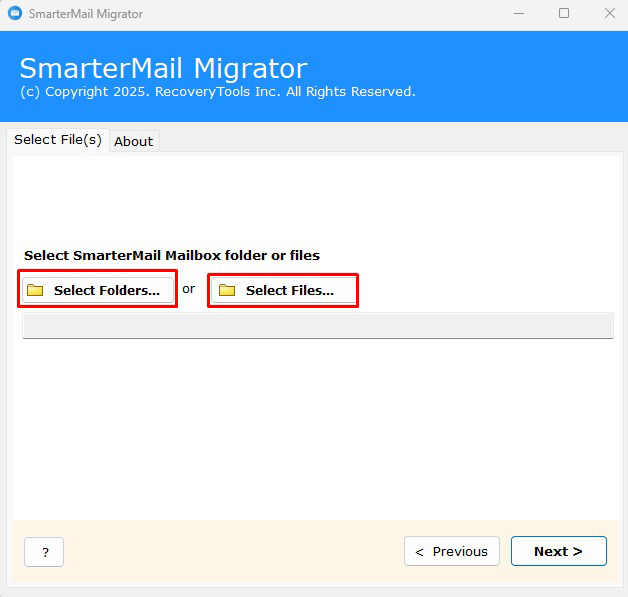
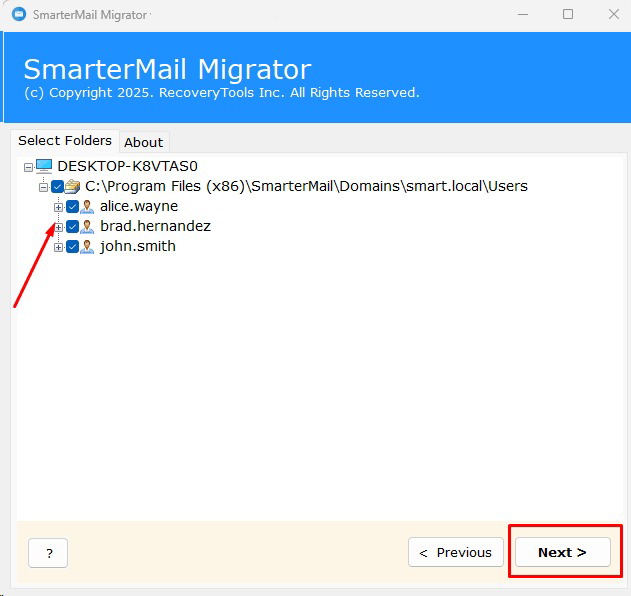
The SmarterMail Migration tool lets users batch export data of multiple users from SmarterMail. When you click Select Folders, the tool shows a Convert Multiple Users window. Check "I am converting Multiple Users" and choose the root folder that holds all user mailbox folders.

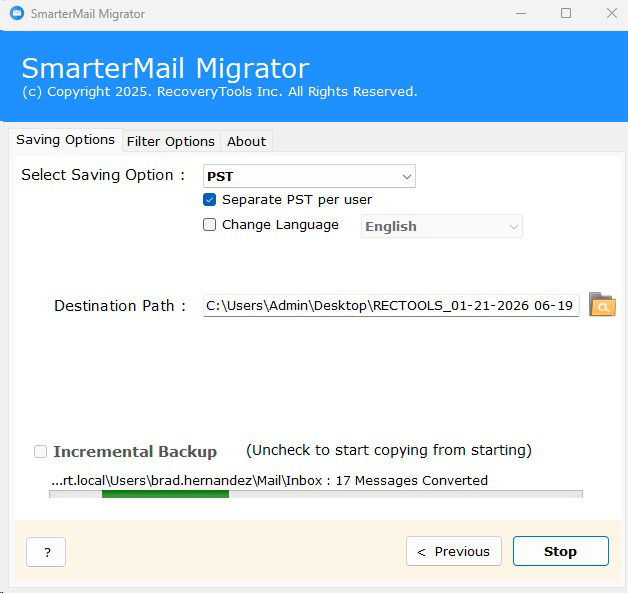
This SmarterMail Converter software is completely standalone to perform its working. There is no need to install any third-party email client or other application. Just run this software, load SmarterMail Server mailbox data and choose a saving format. The tool does the rest in a single go.

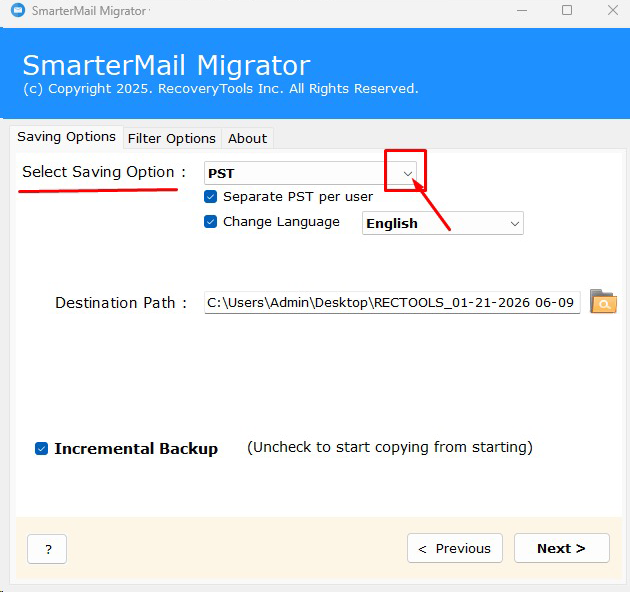
The software lets users export SmarterMail server mailbox items to the hard drive in any format they need. By default, the converted files are saved on the Desktop, but you can set any other destination folder. This makes the converted files easy to find after the conversion.

The software is primarily designed for Windows PCs and laptops. This software is fully compatible with all latest versions of Microsoft Windows. You can run this software on Windows 11 (64-bit), Windows 10, Windows 8.1, Windows 8, Windows 7, etc. Install and run it to migrate unlimited SmarterMail mailbox items.
Step-by-Step Guide of SmarterMail Migration Wizard
This video tutorial shows how to export SmarterMail Server mailbox items like emails, contacts, calendars, tasks and notes to 25+ file formats, email clients and webmail services.
The software can be used independently to migrate SmarterMail Mailbox items:
Know Minimum System Specifications to Migrate SmarterMail
Trial Limitations
Demo Edition will allow you to only convert 25 items from every folder.
System Specifications
Hard Disk Space
Minimum 100 MB Space
RAM
1 GB RAM
Processor
Intel® Pentium 1 GHz processor (2.4 GHz is recommended)
Operating System
Electronic Delivery
RecoveryTools SmarterMail Migration Software will be delivered automatically. After your payment is confirmed, you will receive an email with a link to download the product and the activation key.
Frequently Asked Questions
Yes, you can convert everything. RecoveryTools SmarterMail Migrator allows you to convert multiple mailboxes with complete accuracy. It converts all Contacts (Address Book) fields and offers many common saving options.
Yes, RecoveryTools SmarterMail Migrator maintains complete Calendar recurrence and Calendar meta-data.
Yes, you can convert multiple mailboxes of any size. There is no limit on the number of mailboxes or their size.
Yes, our application lets you save SmarterMail emails as document files (PDF, DOC, XPS, HTML and MHT). You can print these files easily.
Yes, our software displays all the SmarterMail mailbox folders in its panel where one can easily pick only the required folders. Apart from it, the software also provides Advanced Filters Settings for selective conversion of mailbox items. Apply any of these filters to get only the items you need.
No, at present the software works on Windows computers only. You can contact our support team to know about upcoming releases.
Feature Comparison of Migrate SmarterMail Software - DEMO and Licensed Version
 Download
  Buy
Buy Thank God, I was looking for a long time for a solution to migrate my SmarterMail mailbox items. A huge applause for the developing team of RecoveryTools to provide this software. Now, I can easily export all SmarterMail mailbox items to the hard drive without facing any technical troubles.


Jessica Stephan
I was very happy after checking the trial version of this software. I was very amazed by the speed & accuracy of this software. This single software enables me to export SmarterMail emails into 20+ file formats & email clients directly. What more could I want?

Freddy Craft
This easy-to-use application helps me to migrate my emails & contacts of SmarterMail Mail Server for Windows. The step-by-step working of this software is very helpful for the non-technical users to perform SmarterMail mailbox migration. Thank you, team RecoveryTools, for this amazing effort.

Angela Maria


 Support
  Blog
Blog  +1 7025533020