Screens

Video
OST File Viewer is the best tool to open and preview OST files along with all their contents, including emails, contacts, calendars, and other mailbox data.
 100% Safe and Secure
  30 Days Money Back*
Three Steps to Read OST File Data

OST Preview
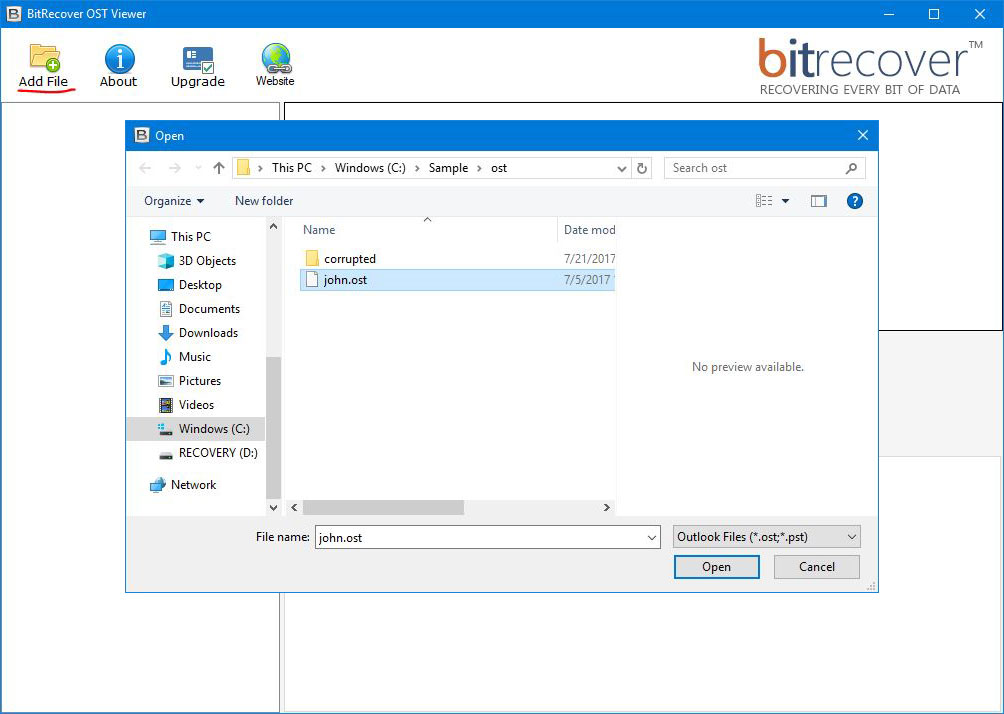
Launch Free OST Viewer software & load files in it by dual ways.

Open OST on Mac
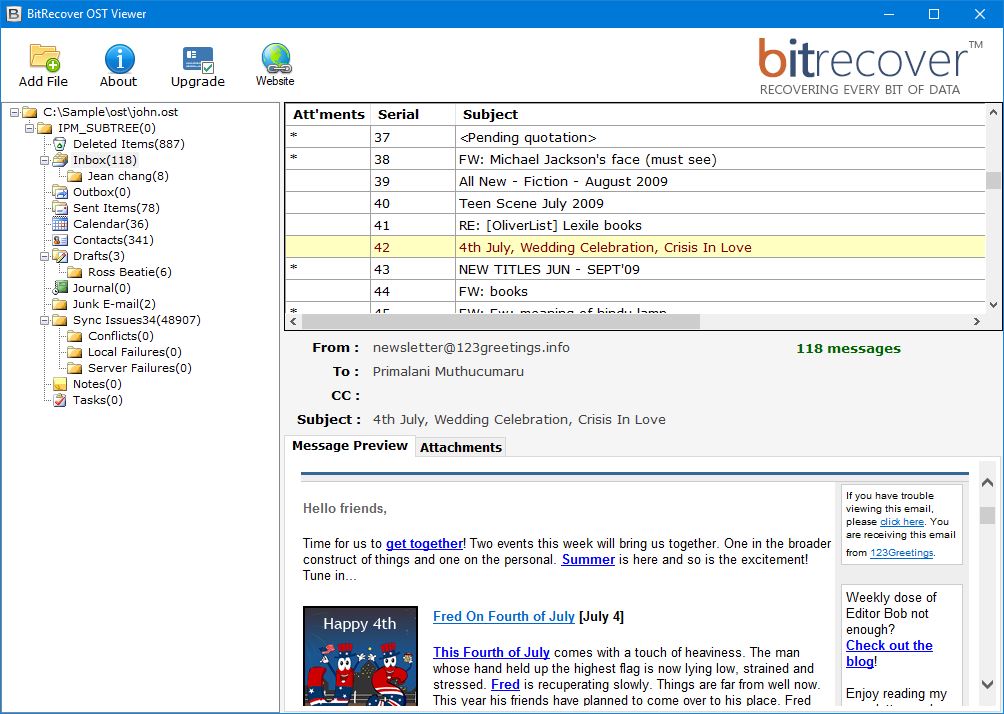
Select any of the OST email to read its information with all details.

Preview Outlook OST
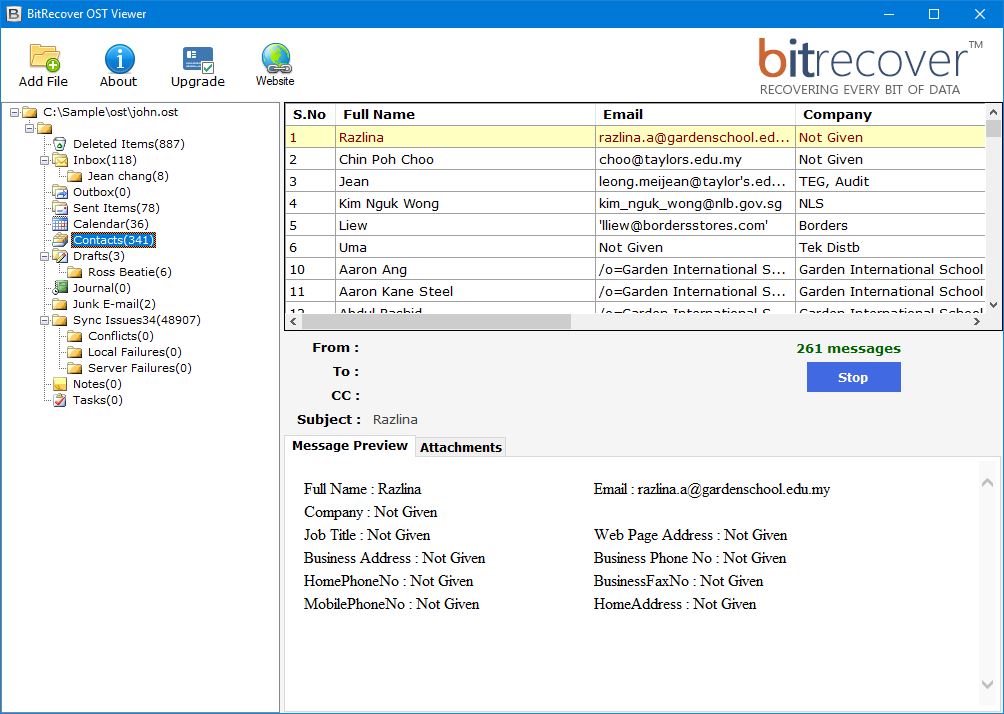
OST Viewer Wizard also allows to read Contacts & Calendars.
Know the Easy & Free OST Viewer Tool Benefits

Open OST Files without Outlook
Free OST Viewer tool is designed to open OST files without requiring Microsoft Outlook email client installation. You can read all the details like OST emails, contacts, calendars, tasks, notes, and journals with this software. It is capable to open the encrypted Outlook messages stored in the OST files without any issue.

This toolkit is designed for the users to read OST emails with all type of inserted attachment files. It will enable them to preview complete detail of emails. All the attachment files are listed in a separate panel. Users can double click on the file to open the attachment file & preview it without any problem.

An Outlook email may contain a lot of details like header information, meta properties, embedded objects, signature, hyperlinks, images etc. The Free OST Viewer toolkit will allow the users to read OST file details with complete information. It will not alter or change the formatting of your emails before making its preview.

This tool provides a batch mode, allowing users to open multiple OST files directly in the application panel. You can load files in two ways: 'Add Files' for individual selection or 'Add Folders' to load an entire directory. This flexibility enables users to process single or multiple OST files efficiently.

Users can analyze OST files for digital forensic purposes. This tool will display all the required information in its panel. It is capable to provide preview of both UNICODE OST files or ANSI OST files. Forensic experts can read Password-Protected, Encrypted, or even Corrupted OST files directly from the tool.

OST File Viewer can open OST files of any size without any limitation. A user will not face any problem while trying to open OST files due to oversize. The OST Viewer utility is compatible with both Mac & Windows OS. Users can run it on both OS platforms without dependency to read OST file information.
Guidelines of OST Viewer Software
Watch the video tutorial to learn how the OST Viewer Tool works and how to read all components, including Emails, Contacts, and Calendars. The software supports both Windows and Mac OS.
Ensure your system meets the minimum requirements below before installation.
Know Specifications to Install the Product on your Windows & Mac OS
System Specifications
Hard Disk Space
Minimum 30 MB Space
RAM
64 MB RAM
Processor
Pentium II 400 MHz
Operating System
Electronic Delivery
RecoveryTools OST Viewer Tool will be delivered automatically. After your payment is confirmed, you will receive an email with a link to download the product and the activation key.
Frequently Asked Questions
The OST Viewer software is designed with advanced algorithms to help users in easily opening the OST files.
Yes, a user can open the Outlook OST files using RecoveryTools OST Viewer tool. This application is available for free of cost. You do not need any advanced technical knowledge to use it on your computer.
OST file is an Outlook data file created when working with Exchange Cache mode. But, when the mailbox is not connected with Exchange or in an offline mode, then the OST file is termed as Orphaned OST file. You can open this file in your computer using Free OST Viewer Software.
Yes, this software has Add Folder option. This option will allow the users to load multiple Outlook OST file & read the information.
Yes, you can open the OST files on the Mac OS also to read the emails information.
I want to open the Orphaned OST files stored in my hard drive, but didn't really have an idea how to do that. Hence, I decided to use RecoveryTools OST Viewer Wizard. I can only say that it is a great application to forensic analyze my OST files deeply. It works in a completely standalone environment without Outlook.


Jessica, Poland
I was worried about how I could read my client's emails stored in the OST file. Thankfully, using RecoveryTools OST Viewer software I got access to the OST emails. It gives me option to preview OST emails, contacts & even calendars items directly in its panel.

Hannah, Brazil


 Support
  Blog
Blog  +1 7025533020
 Download Now
  Purchase Now