

Screenshots

Video

Guide
 100% Safe and Secure
  30 Days Money Back*

Layers & Groups

Vector Graphics

Image Quality & Resolution

Effects & Filters

Text & Fonts

Artboards
Top Three Features to Choose this Amazing Conversion Tool
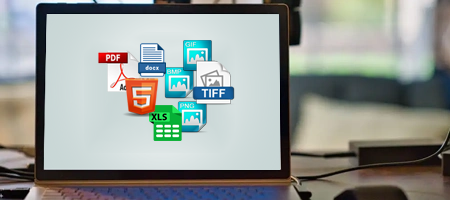
This software has been developed with unique algorithms and provides different features. Users can convert their AI files into 8+ document and image formats, including PDF, DOC, DOCX, XLS, HTML, GIF, BMP, PNG, and TIFF. Thus, users can easily convert AI files into any desired format without losing image quality.

Maintaining image file components is very crucial for all users. So, our Adobe AI file migrator can hold details like Vector graphics, Artboards, Layers & Groups, Colours, Text, Linked Images, Effects & Filters, and other data. Even this amazing AI file converter tool kept the uploaded folder structure during the whole process.
Batch Adobe AI File Migrator
This software is very powerful for converting multiple Adobe Illustrator files in bulk at one time without repeating the same process with each file. You just have to upload your multiple files to the software, and this Adobe AI file migrator tool will perform the task without having any file size limitations.

Two Modes to Add Your File Data
This software comes with two options to import your AI files and folders in the software. First is the Select Files option to add your single AI files one by one and second is the Select Folders option to folders that hold the multiple AI files within it. These are the simple and best ways to upload your data to convert Adobe Illustrator files.

This amazing Adobe AI file migrator tool selects the Desktop location as your saving path for the output file. However, if any user wants to change this path, then you can do it using the Browse button. Even users can select any path including external media, you just have to connect the media first and then choose as saving path.

After uploading the data, all the folders and subfolders will appear on the screen. So that users can analyze and select the required data folders and files from here to convert Adobe Illustrator files. This feature mainly saves the users time and energy during the process.

Safe Adobe AI File Migrator
This Adobe AI File migrator tool is 100% safe and secure for all users. It provides virus-free and corruption-free data files, which makes it more trustworthy among experts and professionals. Also, the simplest and most user-friendly GUI interface makes the tool easy to use for all techy and non-tech-savvy users.

Free Adobe Illustrator File Converter
The pro version of this Adobe AI file converter with advanced features to convert unlimited AI files easily. But we are not saying to invest directly into this software, our tool comes with a free trial version to understand the working steps and features. This amazing Adobe AI file migrator tool can convert 5 files in a free edition.

Save Report for Output Files
After completing the Adobe Illustrator file conversion, a saving report will open on the screen. This TXT file contains the process details like Date & Time, Saving Type, Saving Path, Items Converted, Status of conversion, Selected conversion, etc. This file helps professional users who convert large amounts of files so that they can easily analyze the process.

Live Adobe AI File Conversion
After applying complete settings, hit the Convert button, and the live Adobe AI file migrator will start. Users can analyse the process like how many files have been converted and how much process will take time. After completing the process, the selected saving location will open automatically on the panel. So, there is no need to find the selected path manually.

The Adobe AI File Migrator can be installed into any Windows OS Including Windows 11, 10, 8, 7, and older versions and Windows Server 2022, 2019, 2016, 2012, etc. Also, if you want to modify the software features according to your choice, you can contact us through chat support and we are available 24*7 hours.
Watch the Video Guide to Convert Adobe Illustrator Files to Other Formats
Download the best RecoveryTools AI file converter tool to convert your multiple Adobe Illustrator files in bulk without having any limits. This is the first choice of experts and professional users because it doesn’t lose any information during the process. Also, it doesn’t change any data like file structure and image components without losing quality.
Adobe AI File migrator tool can save your AI files into 8+ saving formats including PDF, DOC, DOCX, GIF, PNG, JPG, and other types as well. It works in an offline environment; this means there is no need for an internet connection to convert Adobe Illustrator files. And because of offline, it doesn’t have any information of yours.
How to Use Adobe AI File Migrator?
System Requirements to Install this Tool to Convert AI Files
Demo Limits
The demo version of this RecoveryTools Adobe AI File Migrator tool to convert only 5 files to analyze the performance and working steps.
Machine Requirements
Hard Disk Space
Around 100 MB
RAM
2 GB RAM
Processor
Intel Pentium 1 GHz Processor
(2.4 GHz Processor Recommended)
Compatible Versions
Online Delivery
After making the payment for the AI file converter tool, you will get an email with a download link and activation key for this tool on the registered email address.
Question and Answers of Adobe AI File Migrator Tool
Yes, you can convert your Adobe Illustrator files easily by following these steps:
Adobe AI file is a vector graphics file which is created by Adobe Illustrator. It is mainly used for designing logos, illustrations, icons, and other scalable graphics. It supports layers, transparency, and various design elements that can be edited without losing quality.
No, there is no need for an internet connection, because it works in an offline environment.
Yes, it holds the original folder hierarchy during the whole process, which makes it trustworthy.
Yes, our Adobe AI file converter maintains all the elements like graphics, text, layers, colors, images, symbols, filters, etc.
Don’t worry, we provide 24*7 chat support for your help, so you can contact us anytime.
Difference Between Free and Paid Edition of this Software
Feedback from Users Who Purchased the Software
"I had multiple large AI files to convert into PDF format, and I tried this RecoveryTools AI file converter suggested by my friend. And honestly, it works amazingly guys. It doesn’t take too much time and converts my file without making any changes to into the original file."


Mr. Elijah, Paris
"I used multiple online Adobe AI file migrators to change the file extension of my files to PNG format. However, due to multiple files, I had to follow the same process again and again. And then I found this RecoveryTools Adobe Illustrator file converter tool. I was shocked at how brilliantly it works; I only used the demo version and after that, I purchased the licensed version."

Mr. Jack, Helsinki
"Hello, I used this solution 2 months back and now I am reviewing it. I tried the demo version which works well. But when I used the licensed edition, my process got stuck due to multiple large-size files and I was worried that now what should I do. Then I contacted chat support and seriously RecoveryTools has the best support team who helped me until the process started again properly. You should go for this solution to convert any size of Adobe Illustrator files."

Mr. Logan, Ottawa


 Support
  Blog
Blog  +1 7025533020
 Download Now
  Purchase Now


