Features
Key SharePoint Migration Challenges, Solved
Built for IT administrators, SharePoint professionals, migration specialists and the novice admin on their first project. Every feature here addresses a specific point where migrations commonly fail.
Site Discovery And A Read-Only Scan
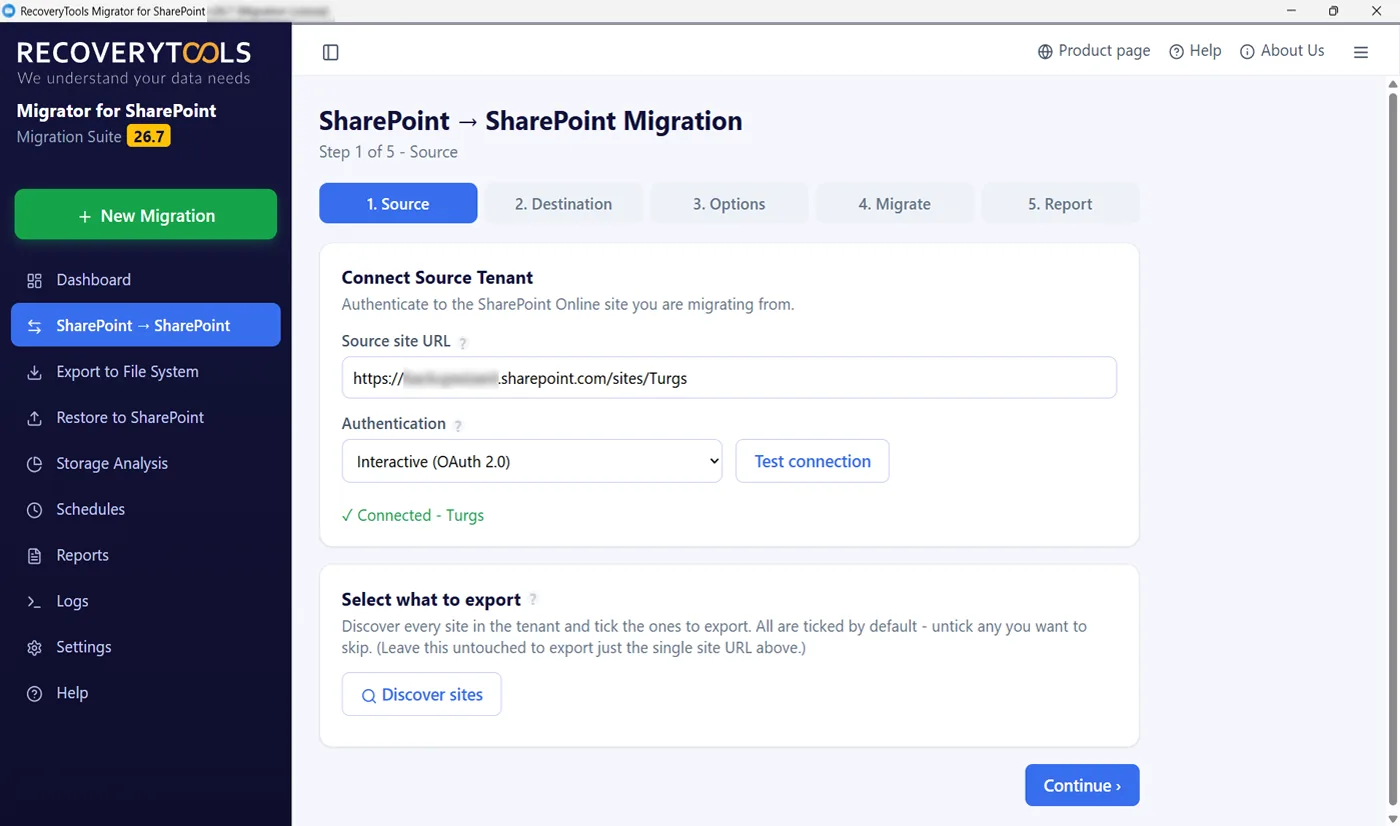
Inventory your existing SharePoint environment before you commit. The site discovery process lists every site the account can reach with its libraries and lists, and the read-only SharePoint Storage Analysis job reports total size and how much has not changed in years.
Selective SharePoint Data Migration
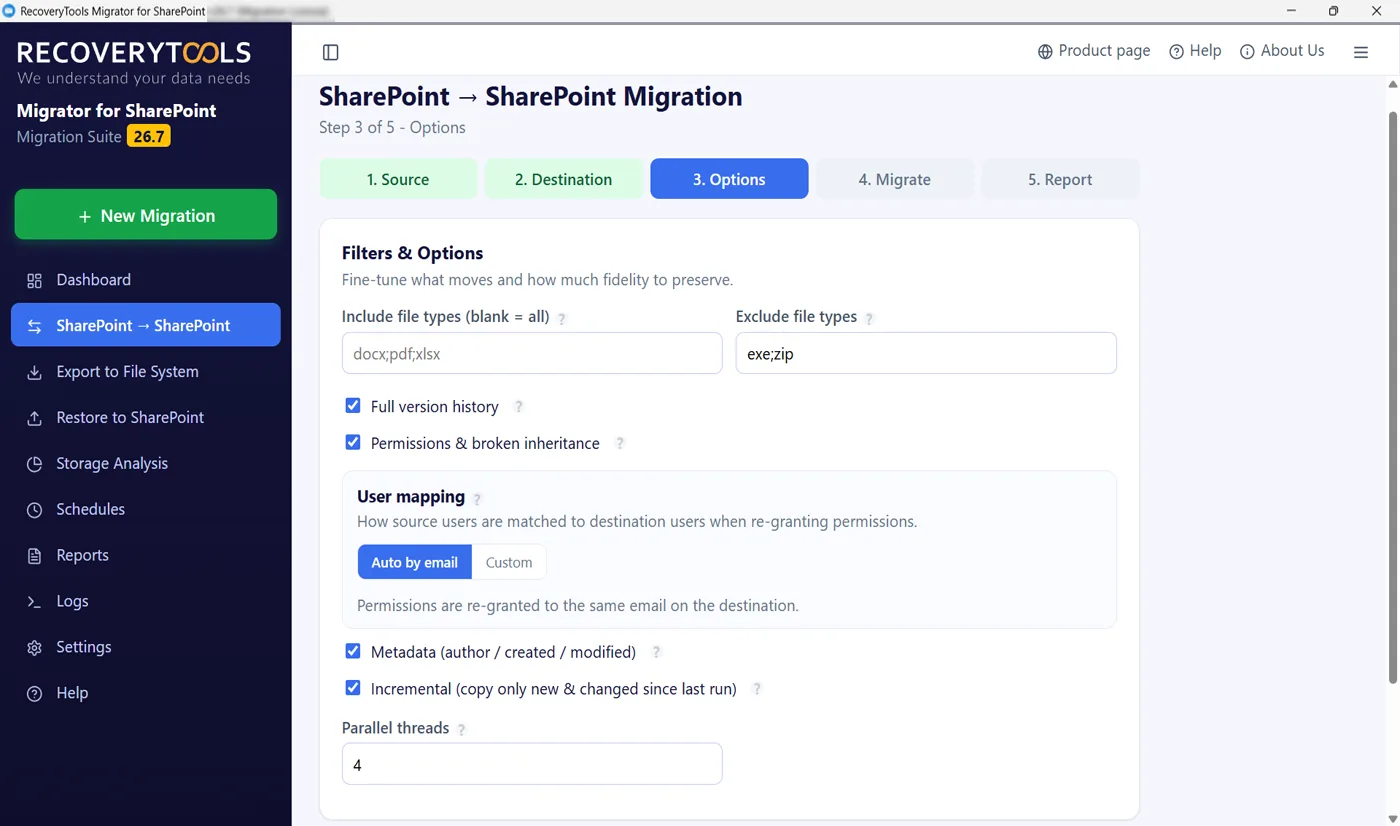
Filter data for selective migration with a date-based filter for selective content, plus file size and file type filters, to include/exclude before anything moves. That leaves archived material behind instead of paying to move it twice.
Version History Migration
Migrate every file version for regulatory compliance, migrate only the last version, or configure migration of versions to a subset of versions to cut transfer volume. Major and minor versions are handled separately, with created date and modified date kept on each.
Delta Pass Migration, Skip Previously Migrated
Run that migration again and only new or modified items move. Incremental (delta) migration skips previously migrated data to migrate only newly added data, so newly arrived files land without duplicates and nobody works out by hand what changed.
Batch And Bulk Migration
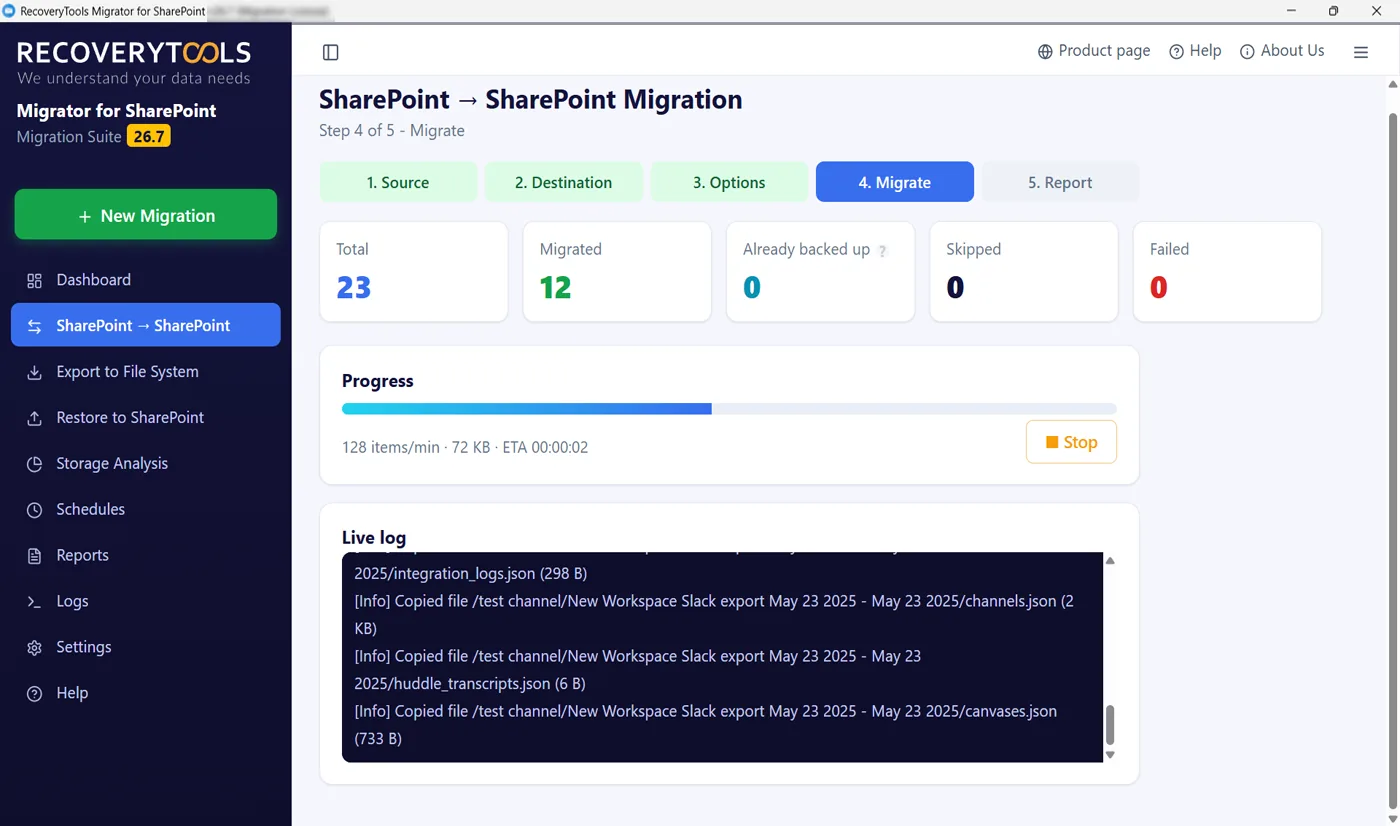
Bulk SharePoint Online migration moves multiple sites simultaneously, which is the fast and efficient way through a large estate. Concurrent migration splits bulk jobs into batches that run side by side, so you migrate inside the maintenance window with minimal downtime.
Schedule SharePoint Migration
Schedule migration jobs to run once, daily, weekly or monthly. The scheduler runs unattended through nights and weekends, and a summary report waits for you when the batch finishes.
Microsoft Modern Authentication
OAuth 2.0 authentication through Microsoft Entra, with MFA and conditional access respected. Data travels through encrypted transfer channels in an end-to-end secure transfer, with no data stored on servers of ours and credentials are never kept in plain text. Data stays within your environment.
Map Users And Permissions From CSV
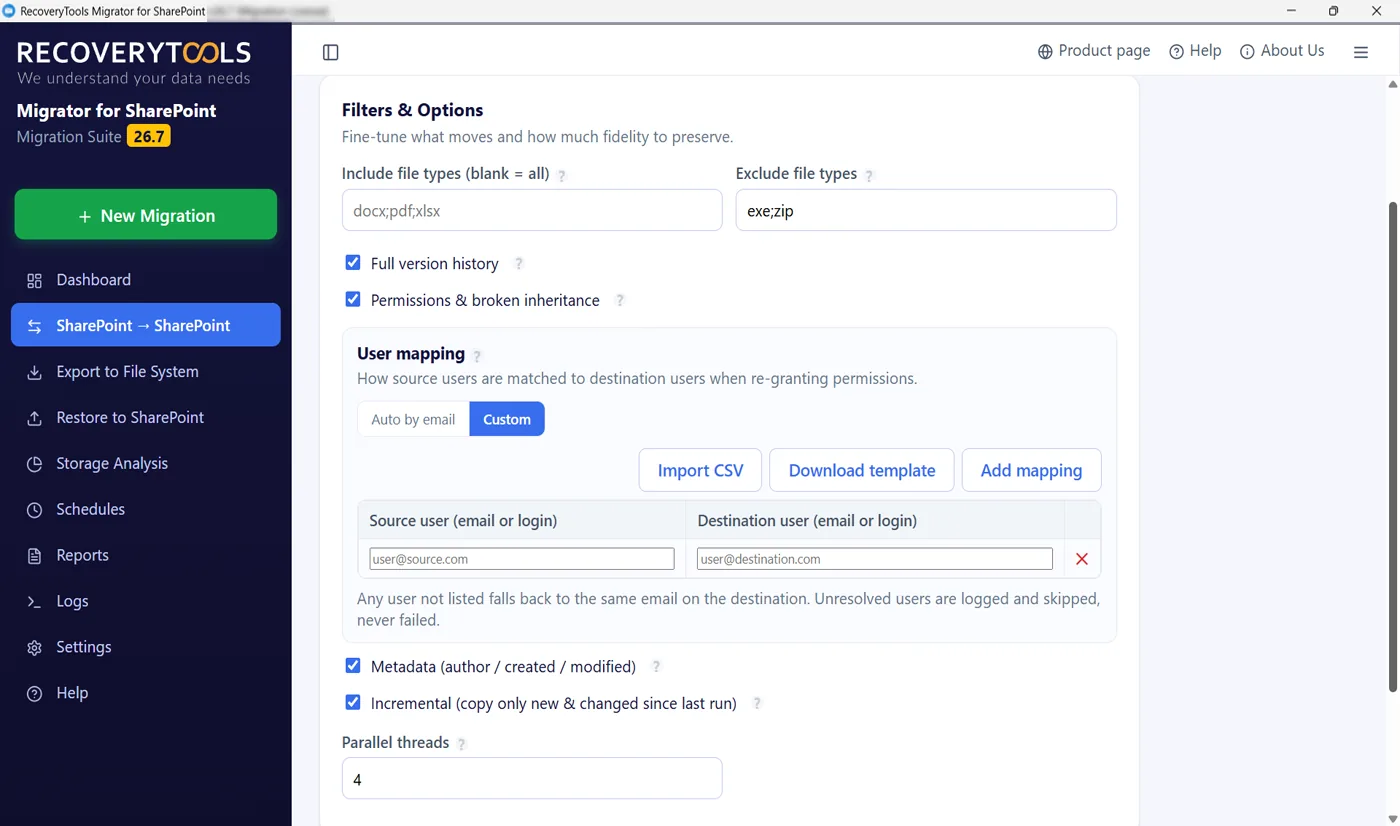
Feed in one CSV file to map source and destination users, and accounts resolve to target identities automatically. Map sites from it too. Unmatched users are flagged before you migrate, not after.
Real-Time Progress Tracking And Reports
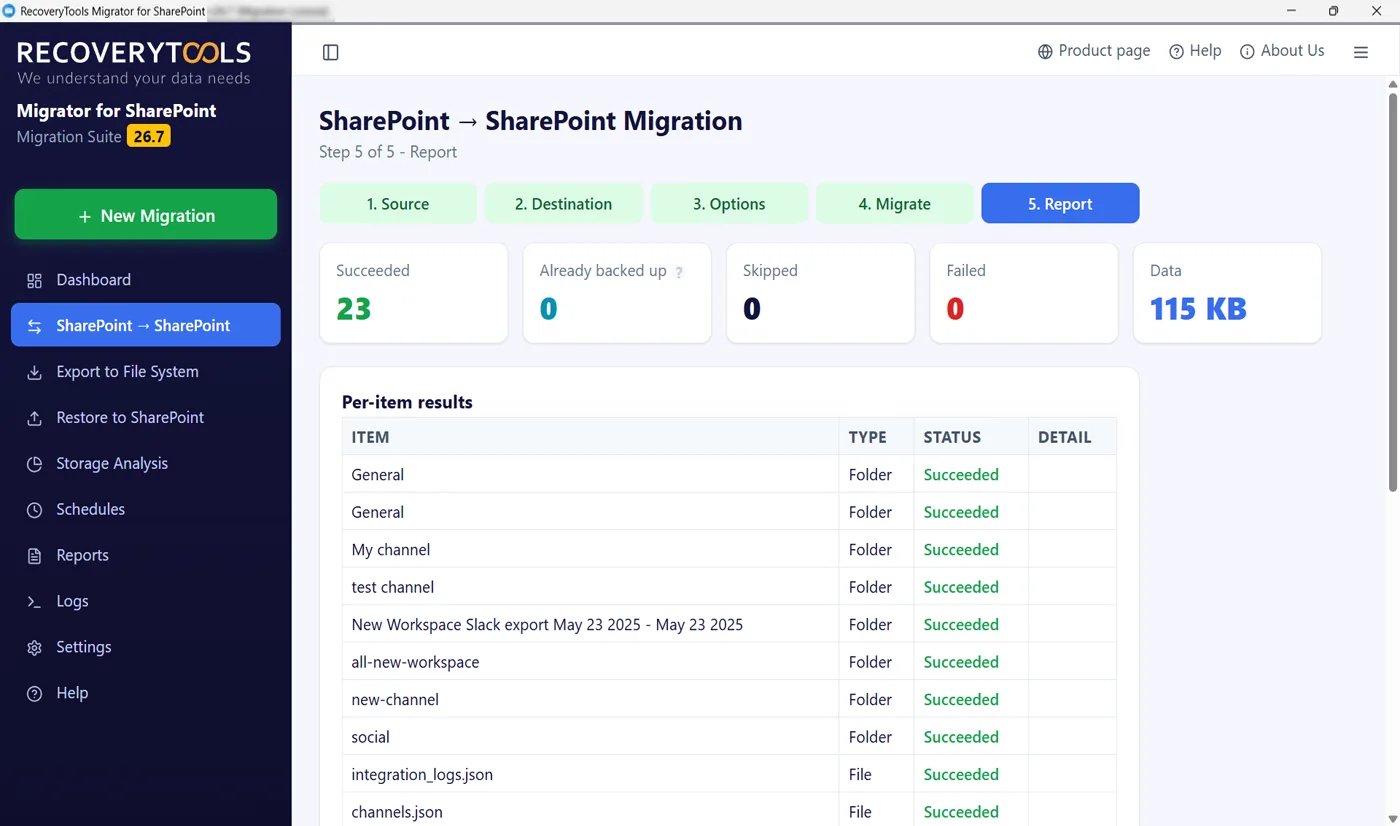
Track real-time migration progress on the built-in dashboard, then review migration summary and detailed and summary migration reports listing every item with what succeeded, what was skipped and why. It is the evidence an auditor asks for.
Run Multiple Jobs Concurrently
Job-based processing in this SharePoint migration tool: run up to three migration jobs side by side, migration and export together if the weekend needs it. Each gets its own dashboard card to stop, pause or manage migration jobs, and it warns you if two would overlap.
Site Mapping And User Mapping
By default a source site lands at the same URL. Site mapping sends it somewhere else, which restructuring or reorganization needs when you reorganize sites under new architecture. User mapping matches people by sign-in address, or from CSV when addresses differ.
Large File Transfers Resume In Chunks
Big documents upload in resumable pieces, so one dropped connection costs the current chunk rather than the file. This SharePoint migration tool will retry failed items with auto retry on failure, a re-run migration picks up where it left off and no job can start twice.