
Microsoft's native cross tenant route is sold per 100 GB, only to Enterprise Agreement customers, and it runs no delta pass. That one missing feature decides your entire cutover plan. Here is what every route costs, what it leaves behind, and how to prove the site landed.
Why does a SharePoint site migration go wrong?
Almost every SharePoint site migration that goes wrong goes wrong for the same reason. Somebody picked a route before reading what that route cannot do.
I've watched teams book a cutover weekend around Microsoft's native cross tenant tool, then find out on the Thursday that it is sold only to Enterprise Agreement customers. I've watched another team plan a long batch and a short catch up pass, then learn the native route has no catch up pass at all.
Neither of those is a hidden detail. Both sit on Microsoft's own documentation pages. They just do not appear in the blog posts people read first.

Pick the route after you read its limits, not before. Every SharePoint site migration I've seen slip was a route decision made in week one and discovered in week six.
Jamie Kaler Marketing Head and Content Strategist, RecoveryTools
What are your SharePoint site migration routes?
Four SharePoint site migration routes exist between tenants, and they are not interchangeable. Price, scope and rollback differ on every one.
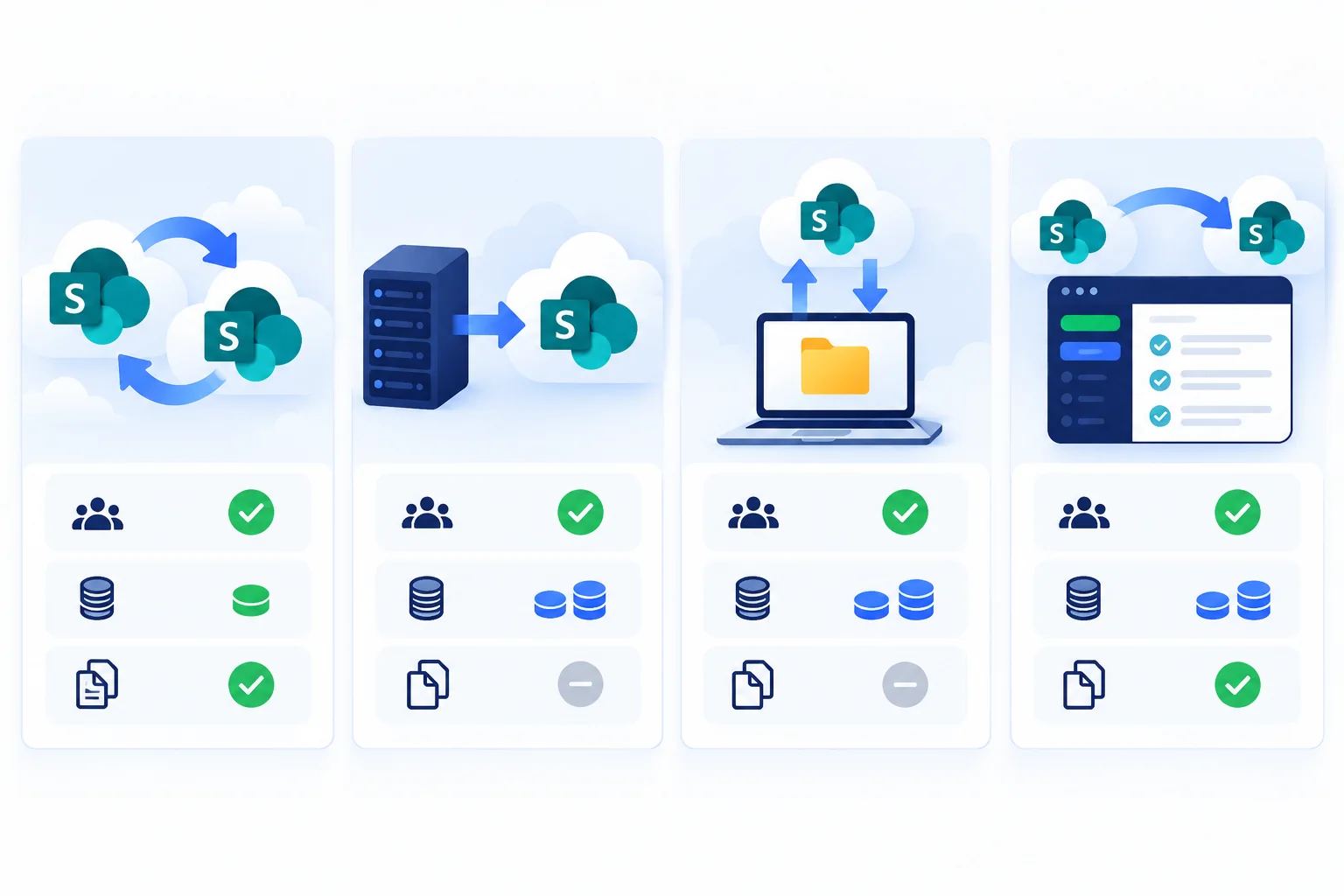
| Route | Who can use it | What it costs | Delta pass |
|---|---|---|---|
| Native cross tenant | Enterprise Agreement customers only | Per 100 GB moved | No |
| SharePoint Migration Tool | Anyone, but on premises sources only | Free | Yes, on premises |
| Download and upload by hand | Anyone | Your time | No |
| Third party migration tool | Anyone | Per site or per pack | Yes |
Swipe the table sideways to see every column.
SharePoint Migration Tool is the one people reach for first and it is the one that cannot help here. Its source list, and the rest of the SharePoint Migration Tool limitations, rule it out on day one. Microsoft states it moves content from SharePoint Server on premises into Microsoft 365, and that it cannot move content from another Microsoft 365 tenant. Migration Manager covers file shares, Google, Dropbox and Box, so it does not fill that gap either.
That leaves the native cross tenant route, hand copying, or a tool built for the job. SharePoint Migration Tool by RecoveryTools sits in that last column, and its pricing is per site rather than per gigabyte.
What does the native route actually require?
Read this list before you build a SharePoint site migration plan around Microsoft's cross tenant route, because two lines on it rule the route out for most organizations.
- Enterprise Agreement only. Microsoft offers the licence to Enterprise Agreement customers. A CSP or direct subscription does not qualify.
- Priced per 100 GB moved. Budget from your discovery figure, with a 20 percent grace allowance for growth during the project.
- Trust between both tenants. You connect both sides, establish trust, then verify that trust before anything else happens.
- Users and groups precreated. Everyone in scope must already exist on the target tenant before the identity mapping step.
- Source sites set to Read or Write. A locked source site is skipped rather than queued.
- No Customer Key encryption on the source. Service encryption with Microsoft Purview Customer Key on the source tenant blocks the route outright.
Two hard ceilings sit on top. A site can hold no more than 5 TB or 1 million items, and no path may exceed 400 characters. Both are counted before the transfer rather than during it.
What does a SharePoint site migration leave behind?
Files and folders travel. A surprising amount of what sits around them does not, and Microsoft names the gaps on its own page rather than leaving you to find them.
- Teams content and channels. The native route does not include them, so a team site that backs a Microsoft Teams team needs its own plan and our Teams Migration Tool page covers that side.
- Workflows. SharePoint 2010 and 2013 workflows are recreated and republished by hand.
- Apps. Apps are republished at the destination and sometimes modified before they run.
- Power Apps and Power Automate. Both are rebuilt and reconnected to the new site.
- Sensitivity labels with user defined permissions. Microsoft states these cannot be migrated by the cross tenant route.
Write that rebuild list in week one and give every line an owner. A list written on cutover night is a list nobody finishes.
Why does the missing delta pass decide your cutover?
Here is the line that changes your schedule more than any other. Microsoft states that incremental and delta migration passes cannot be performed on the cross tenant route.
Think about what that removes. The normal shape of a safe SharePoint site migration is a long batch during the working week while people carry on, then a short pass on the day that picks up whatever changed since. Without a delta pass, that shape is gone.
You are left with one option. Freeze the site, move all of it in one run, and hope the window holds. For a 2 TB site collection that is a long freeze to ask a department to accept.
That is the entire argument for a third party tool. A delta pass turns a frozen weekend into a few frozen hours, because the bulk already moved during the week and only the changes are left.
How do you prepare the source site for migration?
Preparation is where a SharePoint site migration is won, and it is mostly counting. Run discovery against the source before anybody quotes a date, and the rest of the plan turns into arithmetic.
- Count items, not gigabytes. Microsoft 365 throttles per request. A million small files take far longer than the same storage in a few large ones.
- Find the long paths. Anything past 400 characters fails, and it fails late. Shorten folder names before transfer rather than during it.
- Check the ceilings. A site over 5 TB or 1 million items needs splitting before the native route will touch it.
- Clear the dead weight. Sites with no activity in 12 months cost the same to move as live ones. Archive them instead.
- Cap version history. A library keeping 500 versions per file multiplies your item count, so decide the cap while you can still re-run the pilot.
Our post on Microsoft 365 migration planning checks covers the discovery pass in more depth, including how to size the window from a timed pilot.
How do you map users before the move?
Permissions ride on identity, so identity is mapped before content moves. Microsoft puts precreating users and groups ahead of the mapping step for exactly that reason.
One CSV pairing every source account with its destination account solves most of it. Build it from the discovery report rather than from a licence list, because a licence does not tell you who holds content.
Two cases need a decision in advance. Departed employees who still hold permissions on live content, and external guests who were invited by the old tenant rather than stored inside it. Guests do not come across, so somebody re-invites them, and that somebody needs naming now.
When two organizations are combining rather than one moving out, the identity work is larger again. Our post on how to merge Office 365 tenants covers that case from start to finish.
How should cutover weekend run?
With a tool that supports delta passes, split the SharePoint site migration in two and the weekend stops being frightening.
- Run the long batch early. Start it days ahead while people keep working, because a copy only job reads the source and never writes to it.
- Freeze new work briefly. A few hours covers it. The freeze only needs to span the delta pass.
- Run the delta pass. Incremental mode moves what changed since the batch, so nothing arrives twice.
- Switch the links. Email signatures, Teams tabs and department bookmarks all point at the old address until somebody changes them.
- Keep the source read only. Do not delete anything on the day. Weeks of overlap cost nothing and answer every question that follows.

Mailbox and personal file work runs on separate tracks. OneDrive Migration Tool handles personal files and Office 365 Migration Tool handles mailboxes.
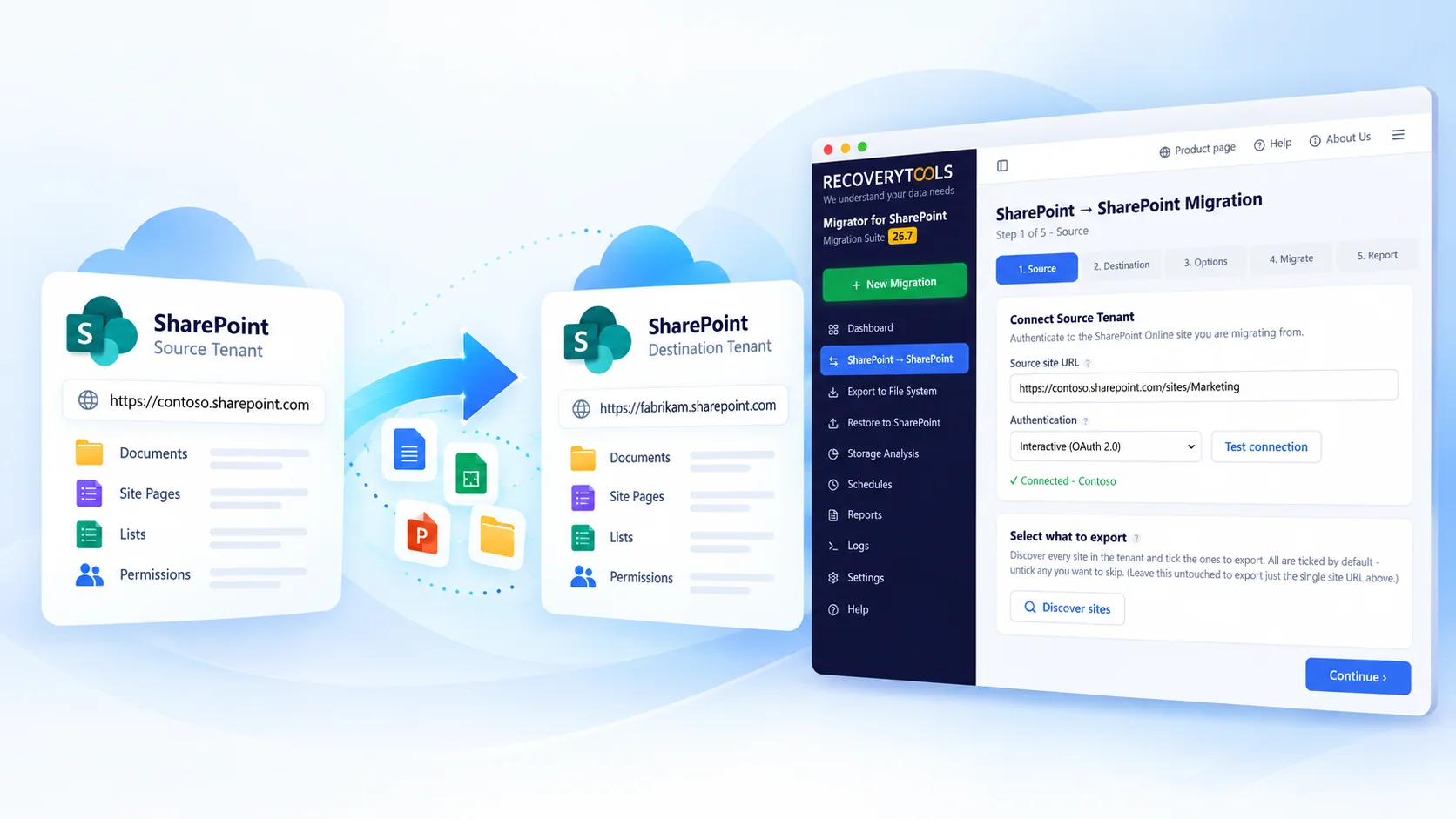
Count your sites before you choose a route
Discovery and read only scanning run without volume limits in trial, so you can count sites, items and long paths before spending anything or committing to a licence.
No credit card, no sign-up. Runs on Windows 11, 10 and Windows Server.
How do you prove a SharePoint site migration landed?
Most SharePoint site migration guides stop at the moment the job says finished. That is where the real work starts, because a finished job and a complete site are different claims.
- Item counts match per site. Compare source against destination site by site rather than as one total, because one failed library hides easily inside a big number.
- Permissions resolve. Spot check 10 users across 3 sites, including one external guest and one departed account.
- Version history landed. Open a file you know had 12 versions and count them.
- Long paths survived. Search the report for anything that failed on the 400 character limit, because those fail quietly.
- Search returns content. Indexing lags the transfer by hours, sometimes a day, so do not panic on the first check.
A report that lists files is not proof that the files are intact. Compare content rather than names alone. Keep an independent copy outside both tenants with Office 365 Backup Tool while you check, so a failed verification costs an afternoon instead of a dataset.
Teams without spare hands for this stage often hand it to our cloud migration service.
Frequently asked questions
Can SharePoint Migration Tool move a site to another tenant?
No. Microsoft states SPMT moves content from SharePoint Server on premises into Microsoft 365 and cannot move content from another Microsoft 365 tenant. For tenant to tenant work you need the native cross tenant route or a third party tool.
How much does the native cross tenant route cost?
Microsoft offers it to Enterprise Agreement customers and prices it per 100 GB of data moved, with a 20 percent grace allowance for growth during the project. Organizations on CSP or direct subscriptions cannot buy it.
Does the native route support delta or incremental passes?
No. Microsoft states incremental and delta migration passes cannot be performed. That means one single run with the site frozen for its entire duration, which is why most teams with a large site collection choose a tool that supports a catch up pass.
Do permissions survive a SharePoint site migration?
They survive when identity is mapped first. Users and groups are precreated on the target tenant, then the mapping pairs every source account with its destination account. External guests are the exception, because a guest is an invitation issued by a tenant rather than content held inside it.
What is the largest site the native route will move?
No more than 5 TB of storage or 1 million items per site, and no path longer than 400 characters. A site over either ceiling is split before transfer rather than queued and failed partway.
How long should the source tenant stay alive?
Keep it in place and read only for a few weeks after cutover. It costs very little, and it answers every question about a missing file without anybody guessing.
Where to start this week
Run discovery and write down four numbers. Sites, items, the longest path and the share of content nobody has opened in a year.
Those four numbers tell you which SharePoint site migration routes are even available to you, before anybody argues about tools. A site over the ceilings rules out the native route on its own.
So before the next planning call, answer the question that decides everything after it. Which route can your estate actually use?
Jamie blends strategic marketing insight with technical writing, turning migration and recovery topics into guidance that works for technical and general readers alike.
Published 3 October 2026. Microsoft limits quoted above come from the cross tenant SharePoint site migration overview, the cross tenant migration FAQs and the SPMT FAQ.