Blog
Blog  +1 7025533020
How to Export Mail from Outlook to JPG Format ?


Overview: Are you looking for a solution to export Outlook mail to JPG format ? Or want to know how to convert Outlook to JPG format in batch ? If so, then read this article completely. Here, you will find an easy way to extract Outlook mail to JPG or JPEG format. For this, we have to take the help of a third-party utility. Keep reading this article to know more.
Despite this, whether you use Outlook consistently or not, you probably won’t have a vague idea of a slew of good things to do to help you be more useful. Outlook permits you to send and get email messages, deal with your schedule, store names and quantities of your contacts, and track your tasks.
JPG is a generally utilized compressed image format for containing computerized pictures. JPG is the most normal picture file utilized in cameras, phones, android, and different operating systems, and the internet. The JPG images are great for photographs and realistic paintings.
“Hello, I have some important emails in my Outlook email client program. For some personal reason, I want to print some email information in jpg or jpeg. However, for this, I start searching on the internet to convert messages to JPG format. But I couldn’t find any solution yet. Does anyone know how to convert Outlook messages to JPG File ?”
A couple of days prior, our help group got a query for how to convert Outlook Mail to JPG image format. Do you also want to know how to extract emails to JPG or JPEG format ? If yes, read the following blog and find an appropriate solution to export Outlook Mail to JPG.
Read More Stories:
Import PST to Windows Live Mail
A Direct Way – Outlook to JPG Converter
RecoveryTools PST Migrator is the simple way to extract messages in JPG format. The solution requires only a PST file to convert mail to JPG format. You can get the solution on your Windows and Mac machines also. While the process, the solution keeps all the properties of the original messages without any changes.
Download the Solution:
Note: The program comes with a demo edition to export only a few emails into JPG format. For more, you need to purchase the solution for lifetime use.
Steps to Convert Outlook Mail to JPG Format
- Launch the solution on your PC.
- Select PST file with dual selection options.
- Choose the required email messages folders.
- Select the JPG format in saving options.
- Start the process to convert Mail to JPG format.
How to Export Outlook Emails to JPEG or JPG Format in Batch ?
- First of all, you need to download the solution and install it on your computer.
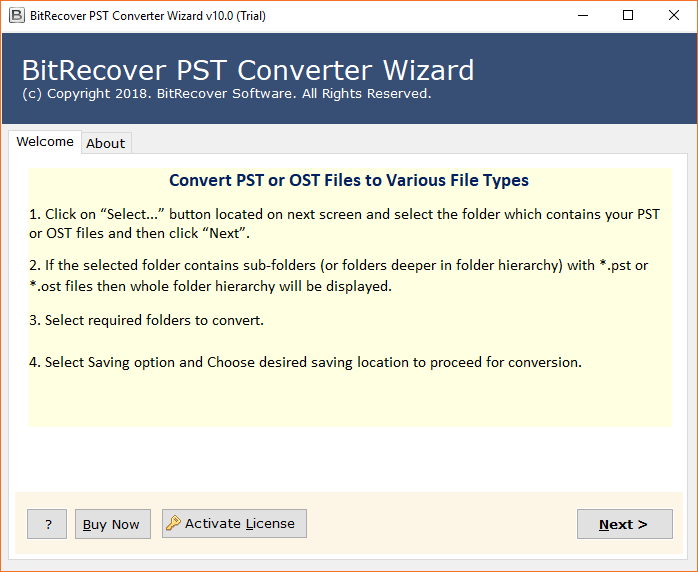
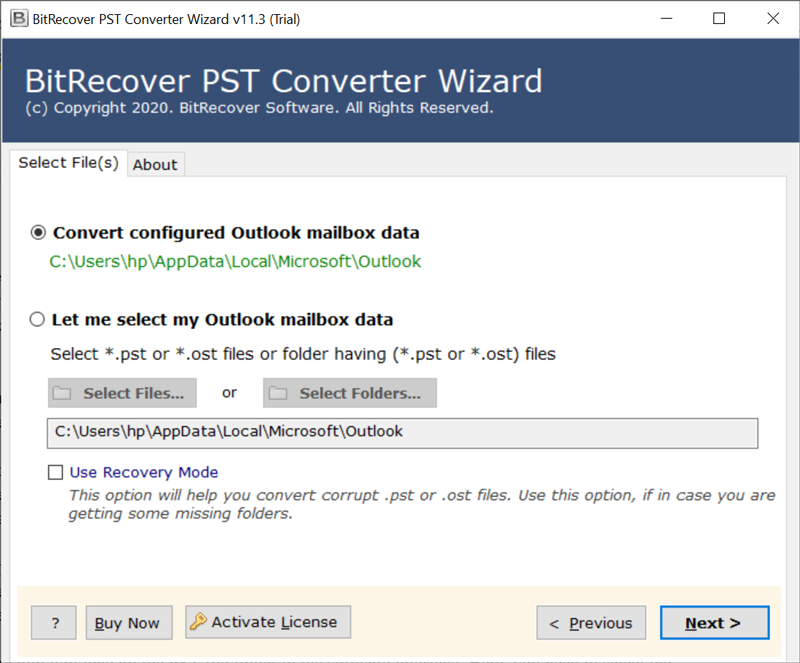
- Thereafter, choose the Outlook PST file with dual selection options.
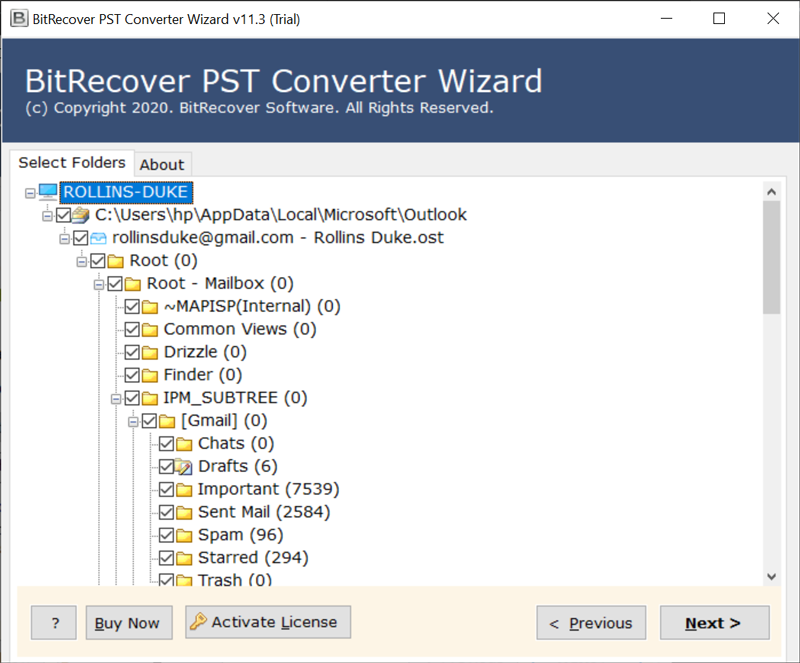
- Now, choose the required email folders from the list of folder options.
- Select the JPG option in the list of file saving options.
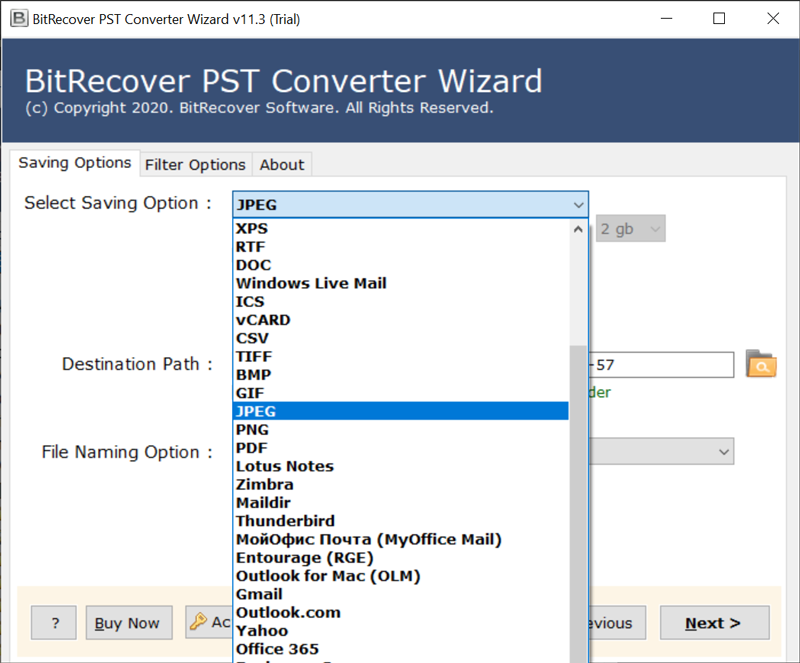
- Set the location path to save resultant data at user location.
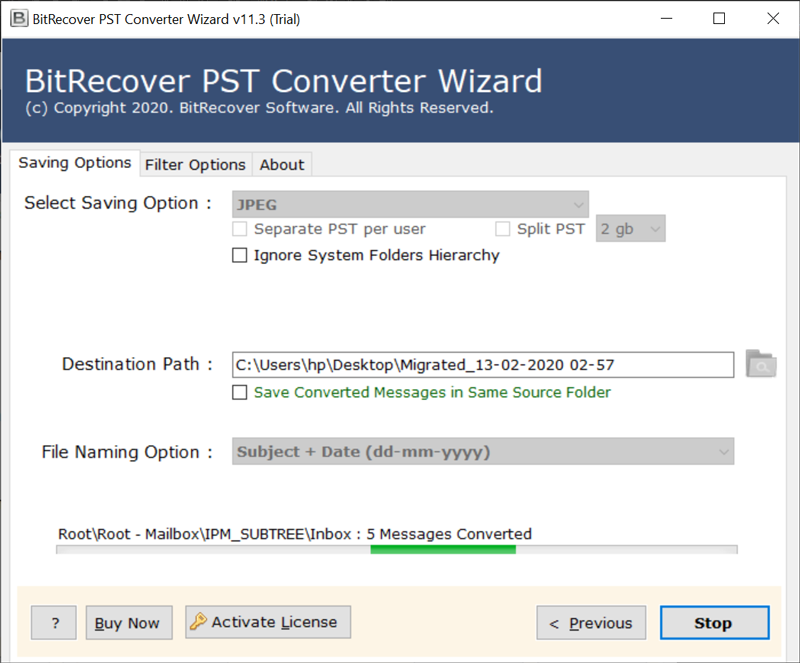
- Start the process to convert Outlook Mail to JPG format in batch.
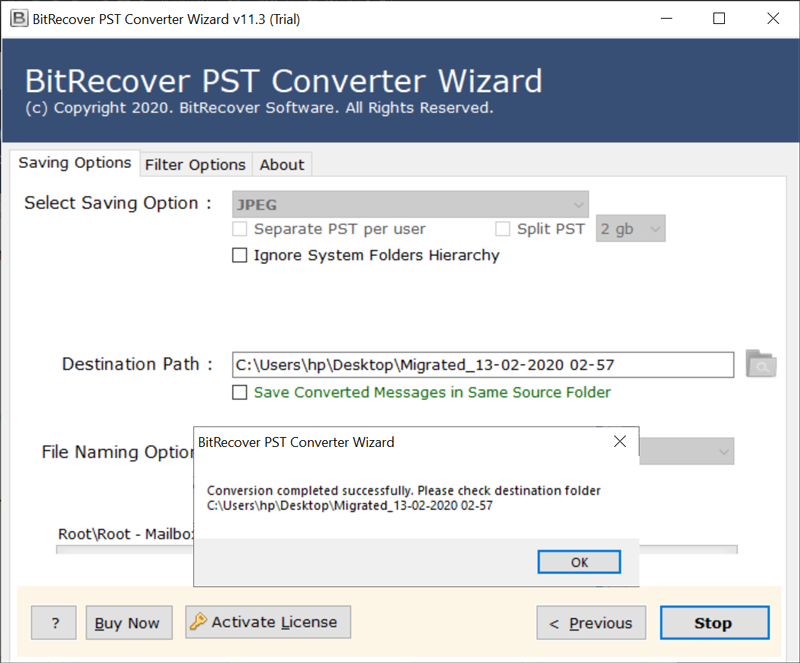
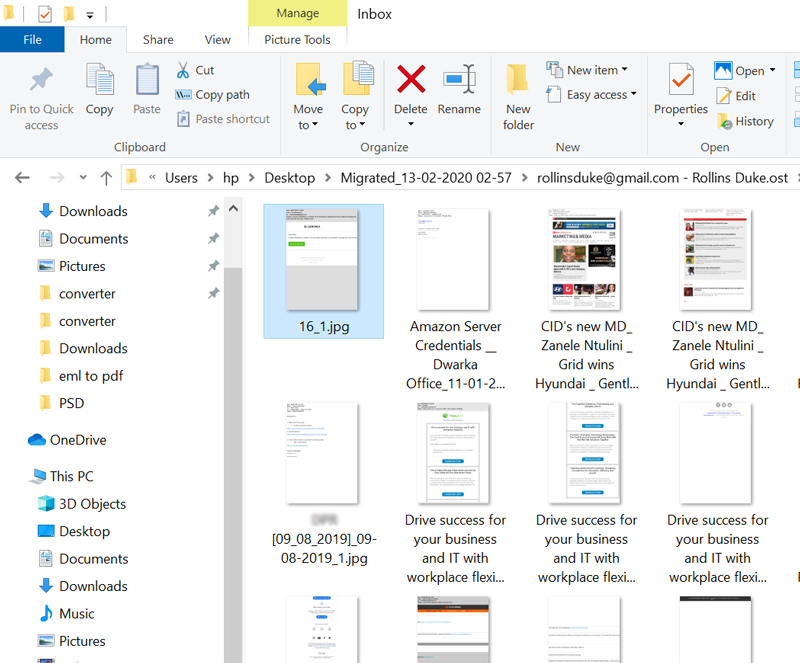
- When the process is finished, the resultant location opens automatically.
Top Advantages of Outlook to JPG Converter
- Dual Manual Selection Options:
Let’s say you need to select and extract one or more emails in a JPG file. Then, you can do the same using this solution as it provides a dual selection option. These options are used to select Outlook files in batch mode and you can save messages in batch to JPG format.
- Automatically Locate Outlook Data:
Probably the most amazing aspect of this application is it allows us to auto-discover mailbox information. This option is helpful for non-technical users. Now, you can easily get all messages into JPG format without any issues.
- Preserves Email Properties & Structure:
While converting Outlook mail to JPG files, the solution keeps messages information in original format. It will show in JPG all email content, email addresses, to, cc, bcc, from, subject, date and time, and many more.
- Easy to Use Graphical User Interface:
The program finishes with its simple to-utilize graphical UI panel. Indeed, it gives a basic and understandable solution with auto-selection mode. The solution gives a simple method to generate Outlook print in JPG format in batch.
- Windows & Mac Supportable Solution:
The product can work on all machines of Windows and Mac computers. You can also install it on the latest Windows 11 and Server 2019 editions. One can also install it on x64bit of operating systems. The solution works on all Mac OS X editions.
Conclusion
In the above article, we have explained the complete method to export Outlook emails to JPG file. If you are one of them who want to export emails from the Outlook program to JPG or JPEG format, then read this article completely. The solution allows you to convert messages in batch into JPG or JPEG format and other images format easily. You can install this application on any Windows and Mac machine. For more information, you can contact the technical team.