 Blog
Blog  +1 7025533020
How to Import Emails into Mango Mail from Any Source?


Overview: Complete guide for small businesses and IT admins to import email in Mango Mail from any cloud email service and from locally stored email data files like MSG, EML, MBOX, Outlook (PST), etc. Learn to use the free native Mango Mail Simple Transfer Tool for only IMAP-based integration. Also know about RecoveryTools professional solution to upload all archived, orphaned or cloud based mailbox in Mango Mail with complete security.
Mango Mail is an easy-to-use and affordable email host widely used by small businesses. Their prices are as low as $1.50 a month, thus small and medium-scale switch from old email hosting provider to Mango Mail for cost management.
Data integrity (worries about attachment, folder structure, and email data loss), security, and compliance are the primary concerns of users when they need to import email in Mango Mail.
Mango Mail offers a native utility to import IMAP email data. However, it does not offer any option to add and access archived email files stored locally on the device.
Here, we have discussed multiple ways to integrate all local, archived, or live mailboxes with Contacts & Calendars.
What is Mango Mail, and Why Users Import in Mango Mail?
Mango Mail is an email hosting provider. Users switch to Mango Mail as:
- It enables you to create unlimited mailboxes and users by verifying the DNS records of your domain.
- Along with email hosting and mailboxes, it also offers an easy-to-use Webmail interface.
- Affordable prices for small and medium-scale businesses.
- Migration to Mango Mail is relatively easier with its built-in simple transfer tool.
There are two common scenarios when importing emails into Mango Mail:
- Importing emails stored in IMAP server – like Gmail, Outlook.com, Yahoo, etc.
- Importing locally archived email files like MBOX, PST, MSG, Google Takeout, or EML.
Often users can upload data from their email accounts into Mango Mail email accounts.
But find it difficult to import locally stored email in PST, MBOX, EML, etc. into Mango Mail due to:
- Lack of direct import options
- Technical complexity with Email clients
- Security and legal compliance concerns
Pre-Requisites to Import Mailboxes into Mango Mail
Although Mango Mail enables easy transfer, ensure you safe and error-free import:
- Username and password of the Mango Mail Account.
- Enough storage space in the Mango Mail account.
If importing from a live mailbox:
- Enabled IMAP of the source account.
- Email ID and password of the Source account
- App-Password if 2FA is enabled
How to Import Emails into Mango Mail Using Built-In Options?
Mango Mail’s simple transfer tool is a native way for users to upload IMAP emails in your Mango Mail account when switching or taking an online backup.
Follow the exact steps below:
- Go to – https://admin.mymangomail.com/dashboard/.
- Choose the Transfer option from the left panel.
- Click on New Transfer.
- Enter
- Server: IP address of your IMAP server
- Username: Your source email ID
- Password: Password of your source account
- Destination Address: Mango Mail email account in which you need to import
- You can also set Message, Size, and Data limits if needed.
- Then check the box to agree to the Mango Transfer Policy.
- Click the Add to Queue button.
- Wait for a while, and you have successfully imported emails from an IMAP account in your Mango Mail Account.
Limitations of Mango Mail Simple Transfer to Import Emails
Mango Mail has an easy-to-use native option to import emails, but it has some major limitations that one must keep in mind.
- No option to import local mailboxes(PST, MBOX, EML, or MSG files).
- Loss of Folder structure is often reported.
- Time-taking as relies on IMAP for imports.
- Only limited filters and export options are available.
Import Email Data into Mango Mail Using Professional Tools
RecoveryTools professional data solutions help you import any email file or data from any email service into the Mango Mail business account.
Secure, fast, reliable, and expert-tested solutions to import MBOX, EML, MSG, PST, or cloud email messages in Mango Mail email accounts with ease on Mac and Windows devices.
Import emails in Mango Mail with – complete folder hierarchy, attachments, and metadata preserved. Explore the solution below.
| Factor | Native Method | RecoveryTools Software |
| Webmail emails | Yes | Yes |
| Archived email files (PST, MBOX, EML, MSG) | No | Yes |
| Data integrity (folders & attachments) | Sometimes | Yes |
| Speed | Slow | Fast |
| Ease of use | Medium | Easy |
| Large data handling | No | Yes |
| Selective import | No | Yes |
Best Way to Migrate From Any Cloud Service to Mango Mail
RecoveryTools Email Backup Tool is a dedicated solution designed to move email from any IMAP service to Mango Mail with 100% integrity with ease.
A professional software made to handle large-scale migration to Mango Mail from multiple accounts in one, with its batch mode feature.
Recommended by industry experts due to its advanced filters, following data privacy guidelines (GDPR, HIPAA, and CAPA), and versatile email support on Mac and Windows OS.

Import MBOX Files on Mango Mail Business Account
RecoveryTools MBOX Migrator is a compliance-ready solution for emails archived in MBOX files from email clients likes – Thunderbird, Opera Mail, Apple Mail, or from Google Vault or Takeout to be imported in Mango Mail email account.
Trusted by top businesses to import MBOX email in Thunderbird in Mango Mail.
Restore and access MBOX files in Mango Mail without any technical account configuration in email clients, safely using modern authentication and the auto-repair feature.
Do not forget your MBOX archives when migrating to Mango Mail.

Transfer Outlook PST Mailboxes in Mango Mail
RecoveryTools PST File Converter is the easiest solution to import emails stored in an orphaned PST file or in an Outlook profile to your Mango Mail business account.
It can import PST files into any IMAP server, including Mango Mail, with contacts, calendars, emails, and attachments in a reliable way.
Download the tool today. Free trial available.

Import EML Files in Mango Mail Account
Want to import multiple EML (Electronic Mail) files into Mango Mail?
EML stores individual email messages with headers and attachments, in a plain text format with formatting.
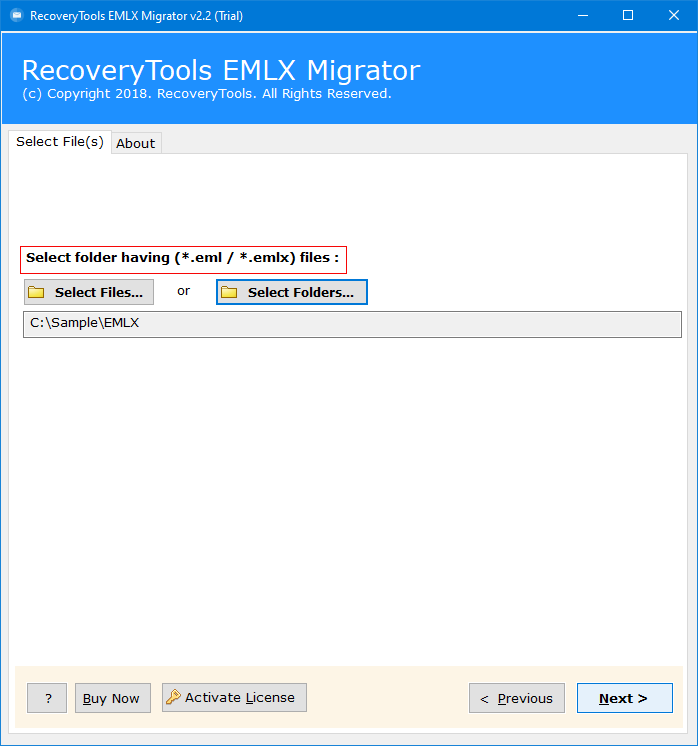
With RecoveryTools EML Converter Wizard, you can import EML files into IMAP accounts like Mango Mail in a quick and easy way.
Do not miss out on any email data when switching to Mango Mail for easy access and legal compliance policies.
Access MSG Email Account in Mango Mail
MSG files are only opened in Outlook or compatible software.
Besides that, Mango Mail doesn’t support importing MSG files directly.
RecoveryTools MSG Migrator is a quick and direct way to access MSG Data in Mango Mail.
Simple solution to batch import MSG email files in Mango with ease, with an exact folder structure when shifting to the Mango Mail with advanced filters.

Why Choose Professional Tools to Import Mailboxes in Mango Mail?
RecoveryTools industry-grade utilities offer a direct and easy way to import any Mailbox, be it live or archived, into Mango Mail business account.
- Offers local archived/ orphaned mailbox imports from PST, EML/ EMLX, MSG, MBOX, etc.
- Advanced filters to import selective mailbox data into Mango Mail, sorted by Date, Subject, To/ From, and keywords.
- 100% secure follows data privacy guidelines like GDPR, CAPA, and HIPAA with modern authentication like OAuth.
- Guarantee of integrity – preserved all email attributes when adding a mailbox to Mango Mail, like header, attachment, contacts & calendars.
- Direct and user-friendly solution for migrating from email to the Mango Mail email service without any technical knowledge or dependency.
- A free trial is available to explore the advanced features and bulk email import capabilities before making a full commitment.
Conclusion
There are both native and professional solutions available to import emails into Mango Mail.
Although built-in transfer tool allow you to access emails from web-based email services such as Gmail and Yahoo, it does not offer a native option to import PST, MBOX, or MSG files directly.
Using RecoveryTools professional utilities provides a secure, accurate, and compliance-ready way to add archived mailboxes to Mango Mail accounts with ease.
Reach out to RecoveryTools email migration experts directly via the live chat option if you need help accessing your email data in a Mango Mail account during the transition.