Blog
Blog  +1 7025533020
How to Migrate and Backup Europe.com Emails?


If you are using a Europe.com email account, you may eventually need to back up your messages or move them to another platform like Outlook, Office 365, or a local file format. But this isn’t always straightforward-users often deal with service reliability concerns, GDPR-related data control issues, and technical hurdles when trying to backup Europe.com emails.
With this article you can easily understand how to migrate and backup your Europe.com emails using both manual and professional methods. If you want to learn the best way to secure your data and move your emails, stay with us throughout the article.
What is Europe.com Email?
Europe.com Email is a service provided by mail.com. It allows users to create an email address using the Europe.com domain. It is chosen by many people for its professional and region-focused identity.
This service works like any standard email account and supports IMAP and POP settings, which help users to access their mailbox from different devices and email apps. Europe.com relies on cloud storage, so many users prefer keeping a personal backup of important messages.
Why Do You Need to Backup Europe.com Email?
You need to save Europe.com email because of several reasons:
- You will lose your Europe.com emails if your account stays inactive for too long.
- Some important messages may be deleted by mistake or due to access issues.
- Users prefer to export Europe.com email due to GDPR and data control concerns.
- IMAP/POP issues can prevent you from retrieving older emails when needed.
- A backup gives you full control and offline access to your messages.
- It also makes it easier to migrate Europe.com emails to other platforms.
Methods to download Europe.com Email
There are two main methods used to back up your Europe.com emails:
- Manual Method
Through a manual method you can connect your Europe.com account to an email client using IMAP and save your Europe.com emails locally. You can use this method but it can be slow and may not always save everything correctly. - Professional Method
Use a dedicated backup tool to securely download your Europe.com emails with folders, attachments, and details protected. This is the safer and more reliable option for a complete backup.
Manual Process to Backup Europe.com Emails
By using these simple steps you can back up your Europe.com emails manually:
- Choose an Email App
Download a desktop email client like Thunderbird or Outlook on your computer. - Add Your Europe.com Account
Go to the email app and add your Europe.com email using IMAP settings.
This will allow the app to download your Europe.com emails and folders. - Give Time to Sync Your Europe.com Email
Give some time for the app to load all your Europe.com email messages. Larger mailboxes may take more time to sync your Europe.com emails. - Export Your Emails
- In Outlook, you can export your mailbox as a PST file.
- In Thunderbird, export your folders as MBOX files using built-in options or add-ons. These exported files serve as your backup.
- Alternative Method: Use Your Hosting Panel
You can use your hosting panel if your Europe.com email is linked to a hosting account, for this you have to open your panel (like cPanel) and download the Email Backup ZIP file. This ZIP file contains your Europe.com emails in MBOX or Maildir format. - Save Your Backup Files
Store the downloaded files safely or open them in an email client whenever you need to check your Europe.com emails.
Why is the Manual Method Not Always Reliable?
- Emails can be lost if the account stays inactive for too long, and manual backup may miss them.
- GDPR and data-control concerns remain because your emails still go through third-party apps.
- IMAP/POP settings often cause errors, making it hard to sync the full mailbox.
- Large mailboxes take a long time to download Europe.com emails and may stop halfway.
- Some Europe.com emails or attachments may not load properly, leading to incomplete backups.
- MBOX/Maildir files from hosting panels can be confusing to open or manage.
- You need extra tools or add-ons to view exported files.
- There’s no automatic backup-you must repeat the process every time.
Professional Tool to Save Europe.com Email
Expert’s recommended RecoveryTools Email Backup Wizard is a reliable way to backup Europe.com emails. This tool removes the issues the user faces while doing it manually. This software can handle large mailboxes smoothly, also avoids IMAP/POP errors, and keeps your Europe.com emails, folders, and attachments intact.
This tool also helps you control your data by providing local backup, which is useful for GDPR and privacy concerns. This tool works on both Windows and Mac systems and also provides multiple saving formats, accurate Europe.com email handling, and automated backup options.
How to Backup Europe.com Emails: Step-by-Step
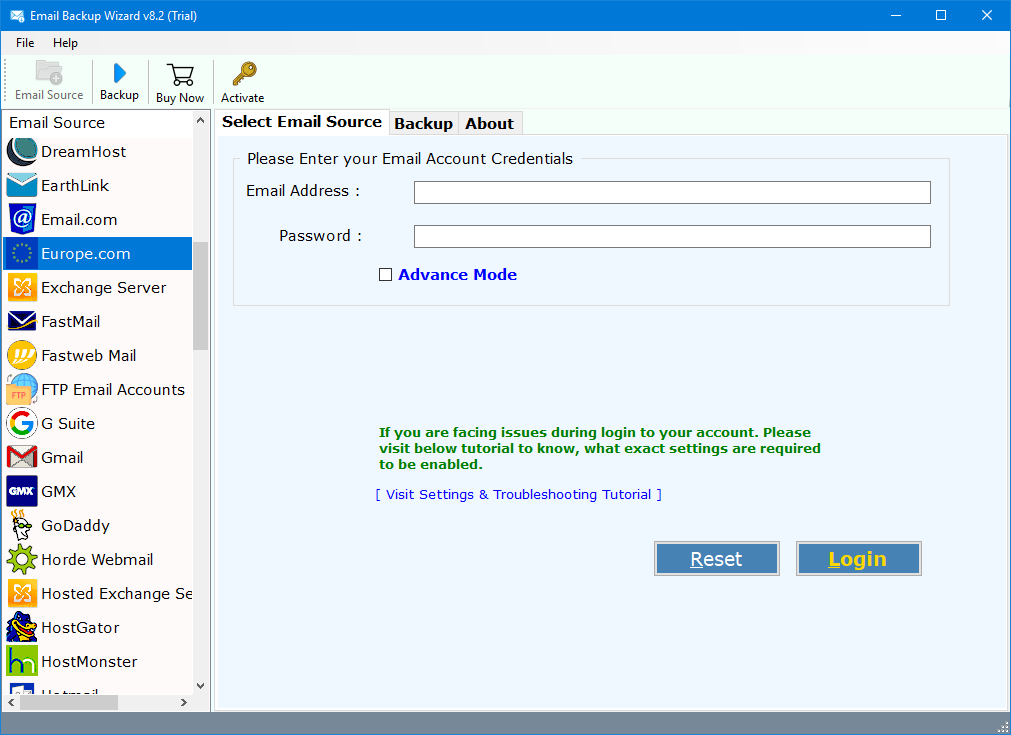
- Firstly, install and run the Email.com backup tool.

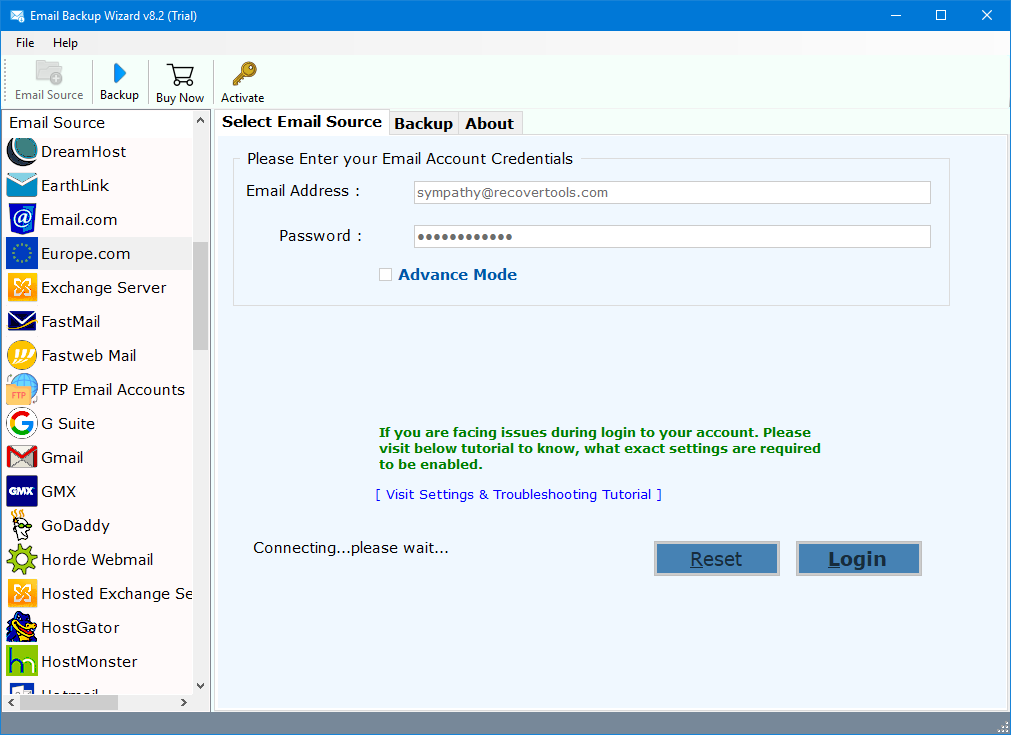
- Login with your Europe.com email and password to access your mailbox.
- Choose the desired folder you want to backup.
- Pick the format you want to save your Europe.com emails, such as PST, MBOX, or PDF.
- Use Filters if you want to back up only certain Europe.com emails.
- Click the Backup button and analyse the Europe.com email backup.


Benefits of Using a Professional Europe.com Email Backup Tool
- It can backup multiple Europe.com accounts at once by using batch mode.
- This tool can archive Europe.com emails in 38+ industry formats like PST, MBOX, PDF and many more.
- It keeps folders, attachments, and Europe.com email details intact.
- Provide advanced filters to backup Europe.com emails you need.
- It has a built-in scheduler for automatic backups.
- This tool also provides privacy support like HIPAA and GDPR-friendly backup workflows.
- This software runs on both Windows and Mac, and a demo version is available to try first.
Frequently Asked Questions
Q1. What is the best way to back up Europe.com emails?
Ans: You can use a dedicated third-party software to backup Europe.com emails. Connect your Europe.com account through IMAP and save the Europe.com emails to your computer.
Q2. Which European email service is considered good?
Ans: There are several options, but services like ProtonMail, Tutanota, or Mailbox.org are mostly recommended because they provide better security and privacy.
Q3. Can Europe.com be used with IMAP for backups?
Ans: Yes. Europe.com supports IMAP backups. It also allows you to connect to different apps and backup tools to download your Europe.com emails.
Conclusion
When you backup Europe.com emails manually, you need to be careful and keep your messages safe because you might lose them due to syncing issues, accidental deletion, or account problems. The manual method can work, but it often takes time and may not save everything the way you want.
Using a professional backup tool makes the whole process much easier. It gives you more options, works smoothly on both Windows and Mac, and helps you save your emails in the format you prefer. By following this guide, you can back up and move your Europe.com emails without any trouble.