Blog
Blog  +1 7025533020
Directly Transfer Tiscali Email to Gmail in Bulk: Easy Guide


Tiscali Mail is free email service provided by the Italian telecommunications company. If you are facing many limitations in Tiscali email & want to switch to Gmail to get better integration with multiple applications, then this article is for you! In this guide, we provide simple method to transfer Tiscali Email to Gmail account without any limitations. This article also shows perfect methods that help you to migrate Tiscali Mail to Gmail.
Gmail has 1.8 billion users worldwide who benefit from advanced AI features included in their mailboxes. It provides access on multiple devices with strong spam & security features. Users can also integrate with Google Workspace to use Google Drive, Calendar, & Meet, which make work productivity better than Tiscali Mail. Let’s check out this complete guide to migrate Tiscali Mail to Gmail without facing any technical hassles.
Why Migrate or Transfer Tiscali Email to Gmail?
- Gmail provides 15 GB of free storage to save emails & attachments.
- Access Gmail account on phone, laptop & computer without any dependency.
- It provides quick search feature to find emails, attachments, & conversations.
- Get better spam protection, phishing detection, & 2FA authentication to safe account.
- Users can use filters, labels & categories to manage their mailbox.
- Gmail provides simple interface that helps users manage large mailboxes.
Preparation Before Transferring Tiscali Mail to Gmail
- Active Tiscali email account with accurate login credentials.
- A working Gmail account with enough storage to save Tiscali emails.
- Stable internet connection to migrate large Tiscali Mail to Gmail account.
- Backup Tiscali emails on your computer as another copy.
- Review Tiscali Mail folder, contacts, & important attachments before migration.
- Choose any time to complete migration without hassles.
- Have correct IMAP/POP server details & port numbers of Tiscali.
- Pick any method that fits your needs when you transfer Tiscali Mail to Gmail.
How to Migrate Tiscali Email to Gmail Account? (Free Method)
If users want to freely migrate Tiscali Mail mailboxes into Gmail, then they can use this method. This method doesn’t require any software installation. Users just need to follow each step to complete migration.
- Sign in to your Gmail account on your computer.

- Click on Settings option & go to “See all settings.”

- Open Account and Import tab option.

- Select Import mail & contacts option.

- Enter your Tiscali email address & password.

- Start import & allow Gmail to transfer emails from Tiscali Mail.

- Once process finishes, open Gmail & check created label under folders.


Limitations of Manually Migrating Tiscali Mail to Gmail
- Gmail import process doesn’t transfer Tiscali folder structure & labels.
- Users cannot import 150 MB or larger Tiscali emails into Gmail.
- Verify emails before removing Tiscali Mail backup.
- Required to follow each step to complete migration process.
- Take time, if you have large Tiscali mailbox that you need to move to Gmail.
How to Directly Transfer Tiscali Email to Gmail in Bulk?
Users can efficiently switch from Tiscali mail to Gmail or any other webmail without missing any emails with RecoveryTools Email Backup Wizard. This application is an all-in-one safe solution that can easily solve Tiscali email to Gmail migration process. It provides direct functionality to forward multiple Tiscali emails into Gmail account in single process. Users are not limited to only one saving option- Gmail.
There is a whole bunch of alternatives that you can utilize for executing Tiscali email migration. It provides multiple filter features which make migration process better. Users can remove duplicate & choose any folders that they want to migrate into Gmail account. Download free demo edition of this application to learn more about the software.
Steps to Migrate Tiscali Mail to Gmail Account
- Download software from above-mentioned link.

- Now search for Tiscali Mail & login with your credentials.
- Select necessary folders that you want to migrate.

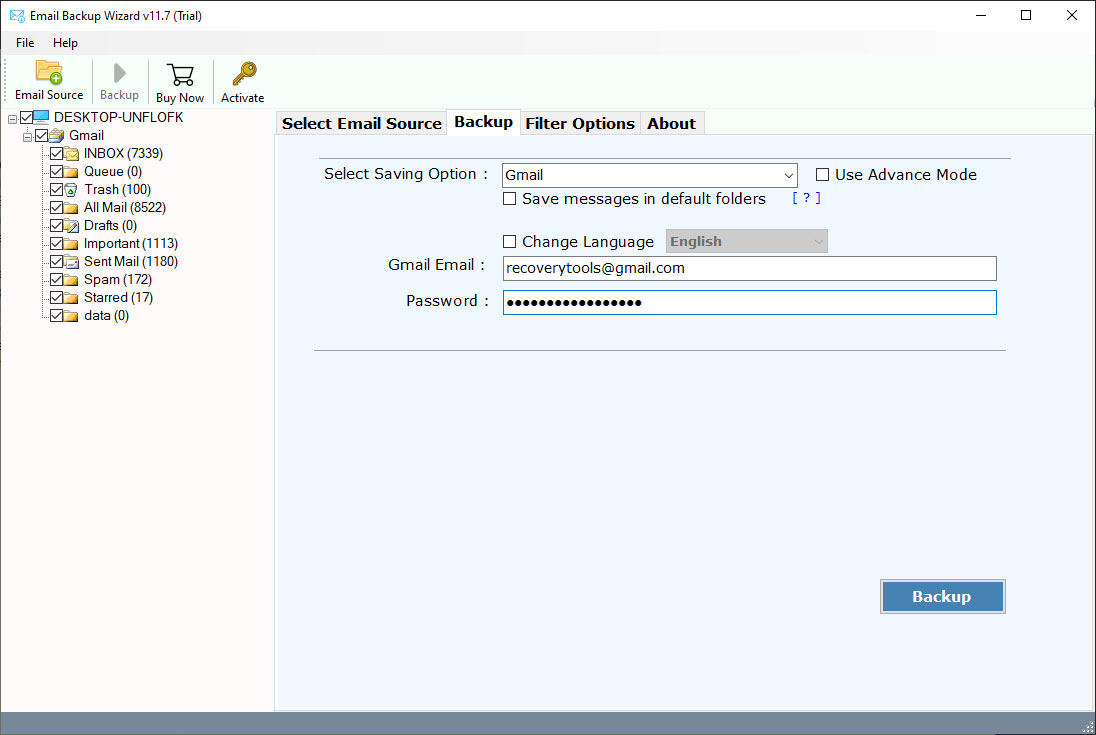
- Select Gmail & specify its account credentials.

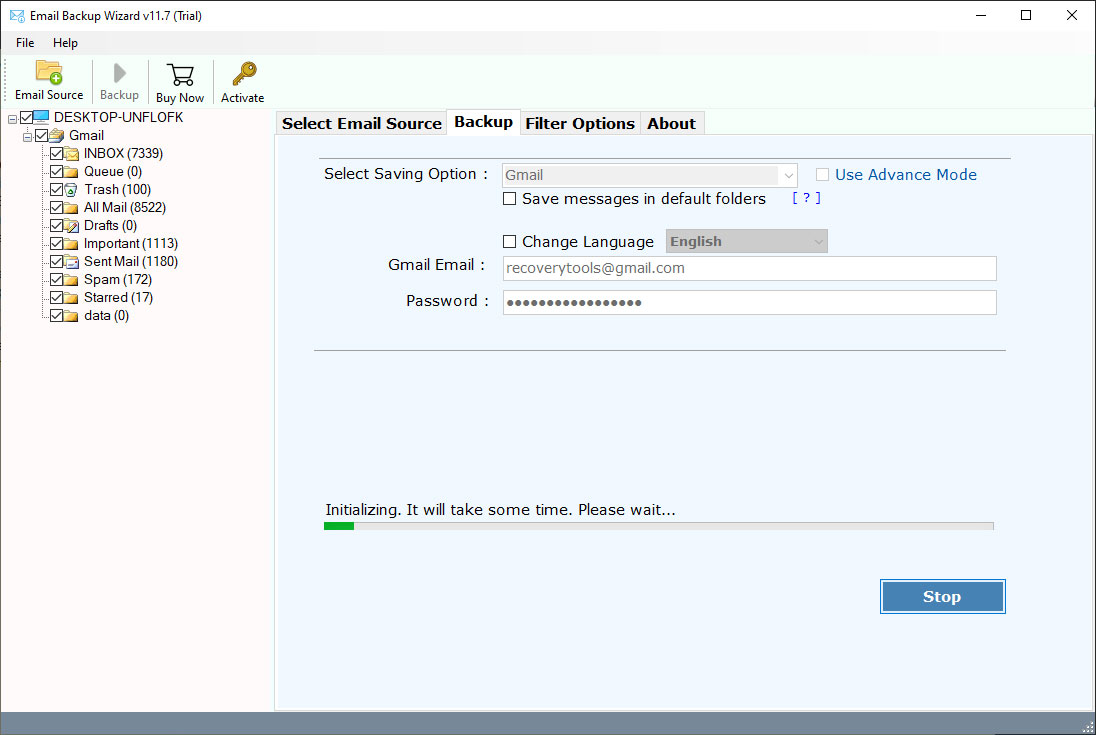
- Click on Backup to transfer Tiscali email to Gmail.


Benefits & Advantages of Automated Solution
- Batch Mode Option: To transfer data from multiple Tiscali accounts to Gmail, users can also utilize ‘batch mode’ feature. It allows users to save Tiscali email account details in CSV file & subsequently upload it to software panel.
- Move Emails with Attachments: One of the best features of this tool is that you don’t need to look out for a separate application to extract attachments from Tiscali Mail. With this software, users can transfer Tiscali email to Gmail along with embedded attachments.
- Selective Mail Conversion: Users can easily forward selected Tiscali emails into Gmail account without moving entire mailbox. This advanced settings option allows users to choose any emails as per date range, email address, subject, etc. Users can check/uncheck folders before beginning conversion process.
- Free Trial Version: If users want to test every feature before investing money, then they can use free demo edition that lets you move first 25 emails from Tiscali email to Gmail account.
- Preserves Folder Structure: During the process of adding Tiscali email to Gmail, the software protects the internal folder hierarchy.
- Maintains Email Attributes: Once you have selected this application for transferring Tiscali emails to Gmail, then you don’t need to think about data loss issues. Because this software will automatically keep intact all email components like metadata, hyperlinks, images, attachments, etc. during the conversion.
Conclusion
In the above article, we have explained the complete way of transferring Tiscali Email to Gmail account. The first method is completely free to forward Tiscali Mail to Gmail account. Nevertheless, free method have some limitations too. Transferring emails from any cloud-based account to another is a daunting thing to do. But when you have reliable & accurate email conversion solution with you, then your problems automatically vanish. In this blog post, you learned the complete process to transfer Tiscali email to Gmail account. Hopefully, this article helps you effortlessly perform migration from Tiscali email data to Gmail. For any other information, you can also contact the technical team.