 Blog
Blog  +1 7025533020
How to Download Old Mails from Rediffmail to Outlook?


Read this article to easily download all mail from Rediffmail to Outlook. If you’re experiencing slow response times, you might eventually decide to switch Rediffmail to Outlook for a more reliable experience. Consequently, the need to move emails from Rediffmail to Outlook becomes an urgent task to keep your important files available. Taking efficient steps to securely connect Rediffmail to Outlook without losing any data is essential during this transition period.
When looking for a trustworthy and effective way to transfer Rediffmail to Outlook, keep in mind that many users are seeking the most straightforward method. Whether you are using the 2019 edition or prior versions, finding a flawless technique to migrate Rediffmail to Outlook is crucial for preserving your professional communications.
Through this article, we will demonstrate how you can easily add Rediffmail to Outlook without any hassle. Continue reading to find a guaranteed and secure method to download mail from Rediffmail to Outlook. You will quickly discover a straightforward process to download all mail from Rediffmail to Outlook in just a couple of quick clicks.
How to Download All Mails from Rediffmail to Outlook?
The RecoveryTools Email Backup Software is a professional software that allows users to download all emails from Rediffmail to Outlook. It easily retrieves all old Rediffmail email messages. The solution is well suited for a direct conversion and grants to bulk download Rediffmail emails to Outlook. Also, the tool allows you to migrate Rediffmail into multiple savings like Yahoo, and more.
Steps to Migrate Rediffmail Emails to Outlook:
- Launch the software and choose Rediffmail.
- Select the required email folders from the list.
- Choose desired Rediffmail emails and pick PST as a saving option.
- Enter a destination path for saving Rediffmail messages.
- Start to download emails from Rediffmail to Outlook.
Complete Solution to Download Emails from Rediffmail to Outlook
Before we explain the proper solution regarding how to download Rediffmail emails into Outlook please check out the demo version. It is completely free of cost and allows to download top 25 Rediffmail data items to Outlook. Later you can upgrade to the full pro version for unlimited email migration.
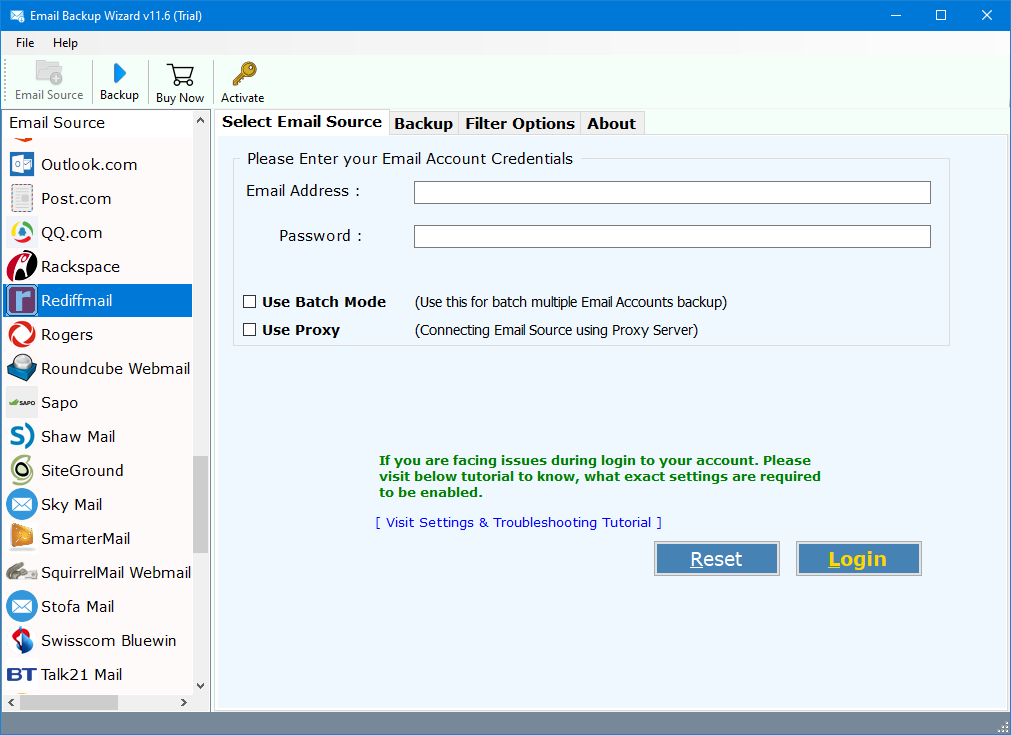
- Now, after downloading the software, go to the email sources and choose Rediffmail from it.

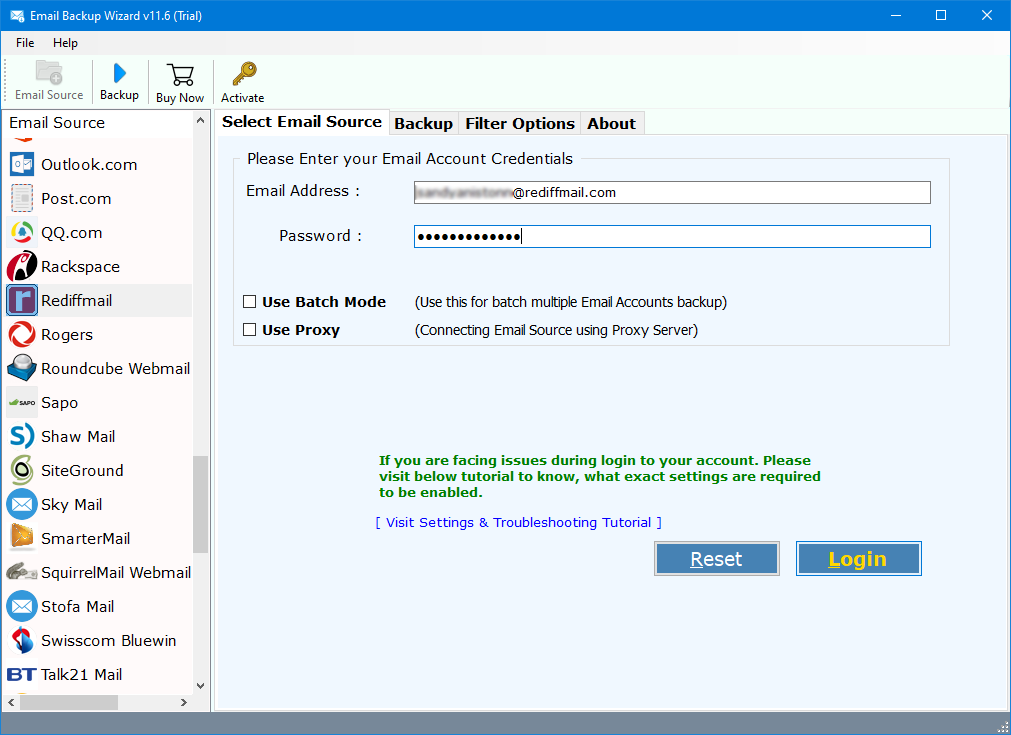
- Then, enter the email account login credentials of Rediffmail in the respective fields. Click on Login.
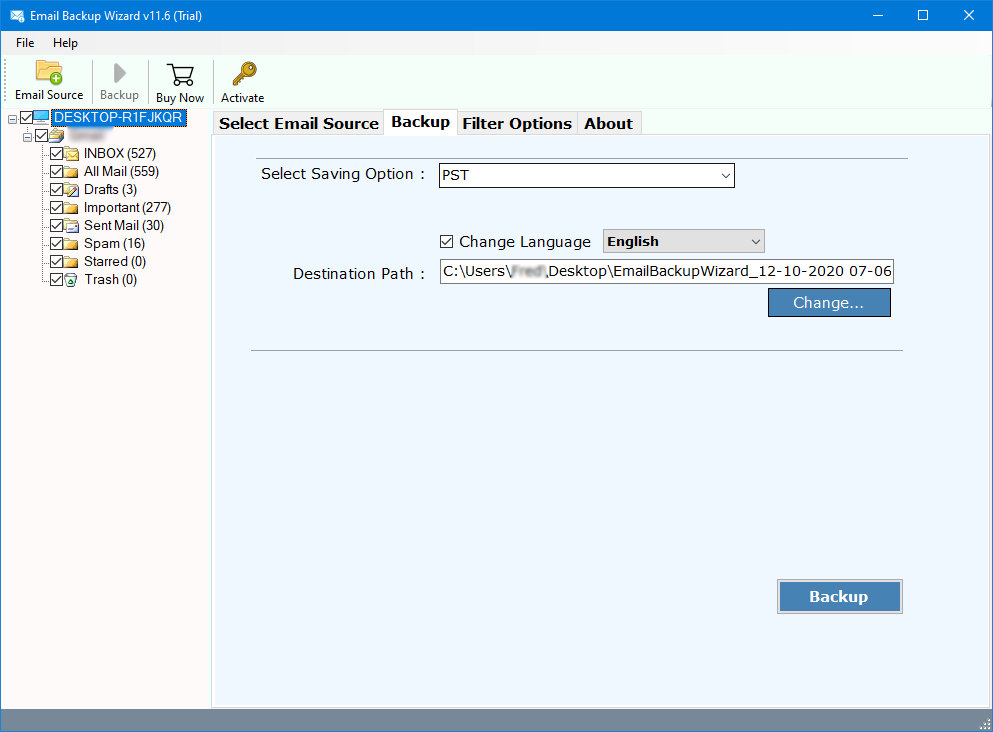
- Thereafter, a list of Rediffmail folders and subfolders appears. Here, choose those Rediffmail folders which you wish to download in Outlook.

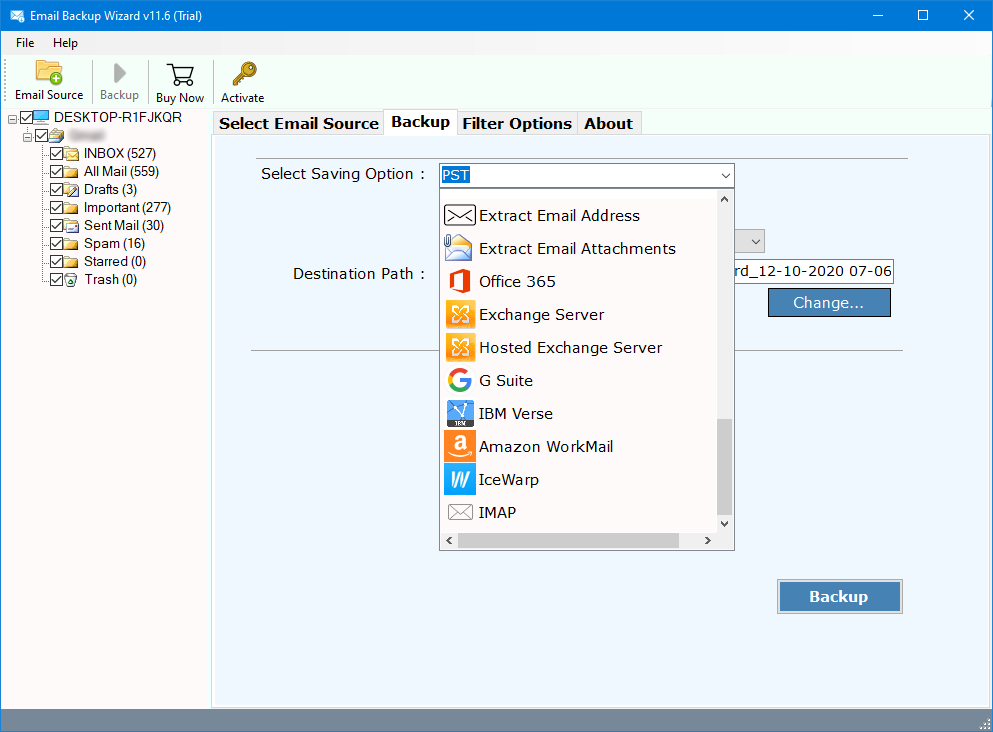
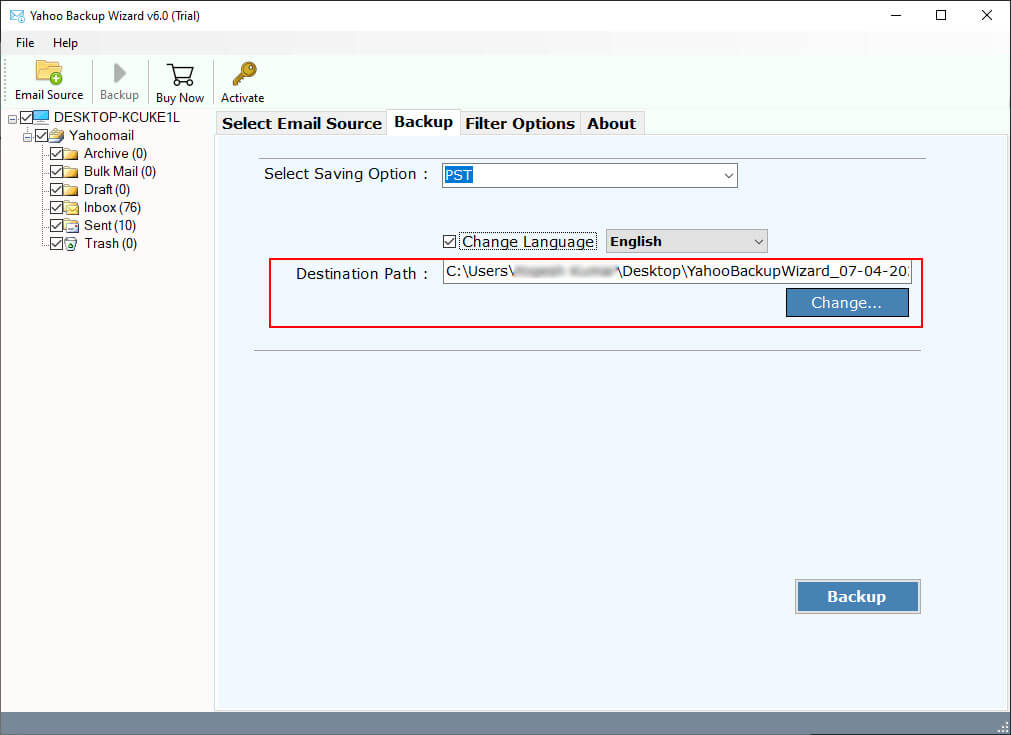
- Now, select PST as a saving option from the list.
- Browse a destination folder for saving the output files.
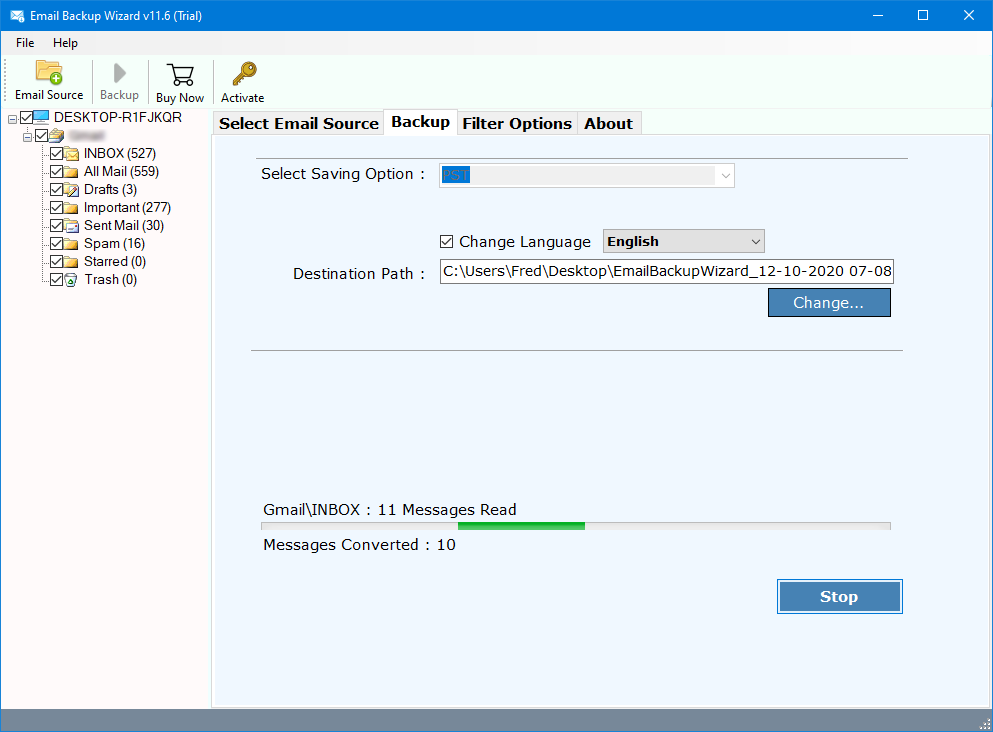
- Finally, end this process by hitting on the Backup button. The process to download all mails from Rediffmail to Outlook is running.
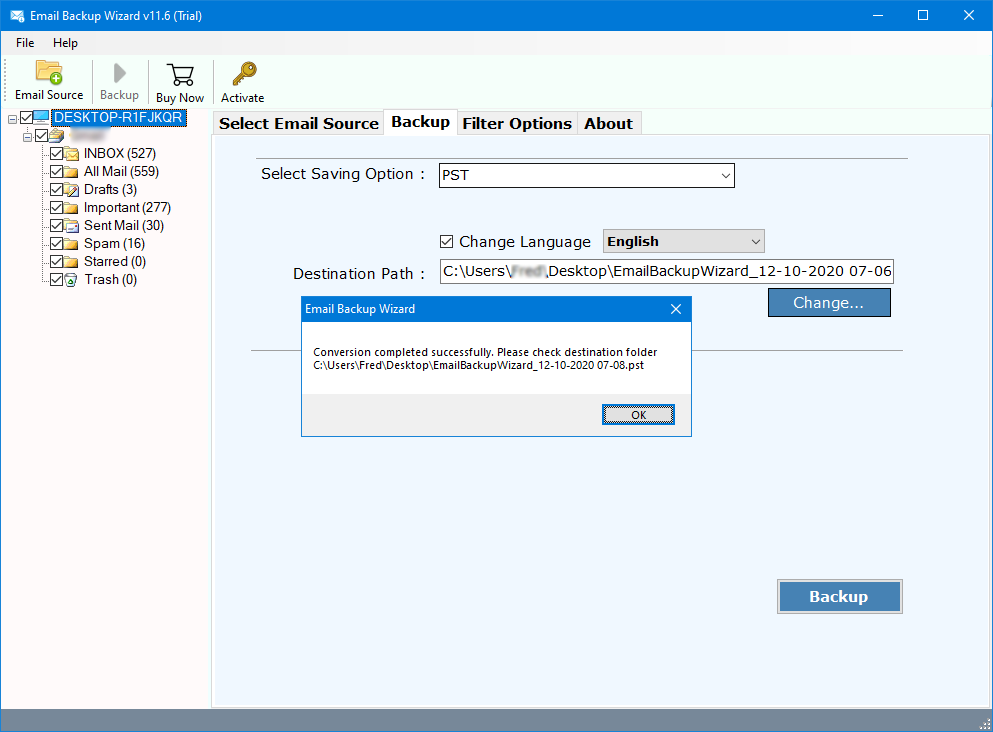
- Complete the process of downloading Rediffmail emails to PST format.
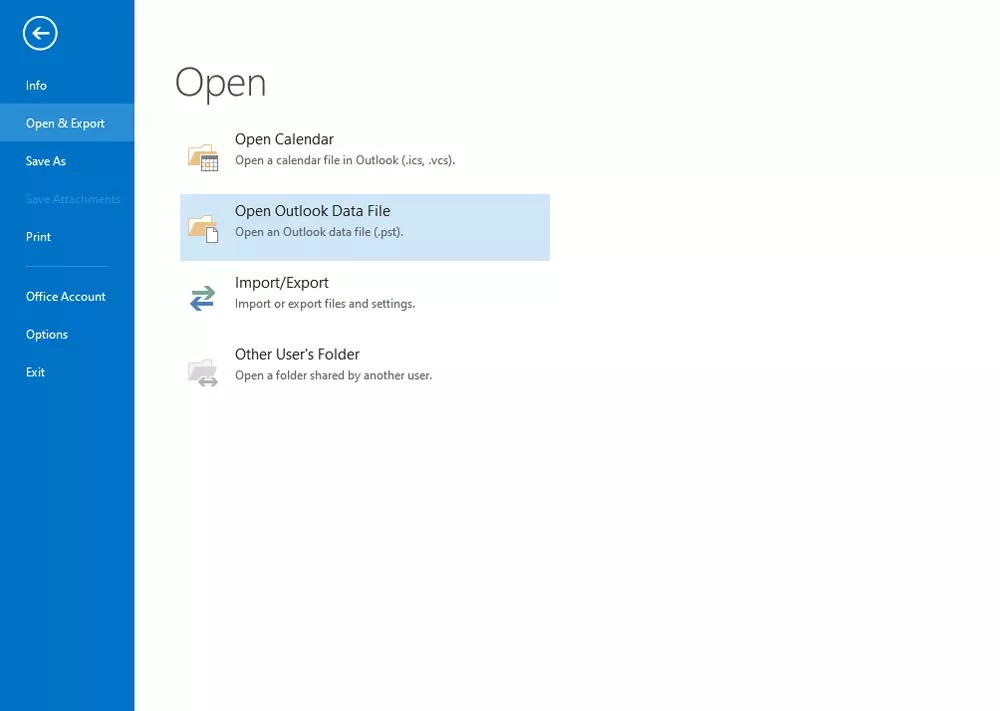
- Now, you have PST files so import these files into MS Outlook.

Outstanding Features of Rediffmail to Outlook Downloader Tool
- Successful Download of Emails with Attachments: Users can take the help of this software to download emails from Rediffmail to Outlook along with respective attachments.
- Intuitive Interface: It comes with a simple Graphical User Interface, so there will be no problem regarding the usage of the software. Any professional or novice user can run this application without any hassle.
- No Data Loss Issues: The software is well programmed with powerful algorithms and hence throughout the process, the users will never face any sort of data loss.
- Preserves Email Attributes: During the process to download all mails from Rediffmail to Outlook, the tool ensures to keep intact all email attributes. It preserves email attachments, inline images, hyperlinks, text formatting, etc.
Common FAQs: Rediffmail to Outlook
Q 1: How to download all mails from Rediffmail to Outlook 2019?
Follow the above solution in order to download emails from Rediffmail to Outlook 2019.
Q 2: Can I also download old mails from Rediffmail to Outlook?
Yes, you can choose emails of any date interval for the conversion task.
Q 3: I am using Windows Server 2019. Does the software support it?
Yes, it works absolutely fine with all versions of Windows OS.
Conclusion
The above write-up explained a proper solution to download all mails from Rediffmail to Outlook. It’s the most straightforward solution which any novice user can perform. The software gives 100% error-free results. You can try it by using the free demo version and test all its functions. If still there is any problem, contact our support team via live chat.