How to Convert VCF to MSG? Step-By-Step Guide


You can convert VCF to MSG files using Microsoft Outlook’s built-in import method, dedicated offline VCF to MSG converter software by RecoveryTools, or online conversion tools. In the following guide, we have explained a step-by-step procedure to convert vCard contacts to MSG using manual approaches and tools.
Method 1: Convert VCF to MSG using Microsoft Outlook
If you only wish to convert a few VCF contacts to MSG format, then you can do this with Microsoft Outlook conveniently free of cost.
Keep in mind that the process might be tedious in case several files are involved. It can also lead to loss of formatting and metadata while converting many contacts manually.
The procedure is as follows:
10 to 15 minutes for 10 contacts
Also Read: How to convert vCard file to PDF?
Method 2: Use a Dedicated VCF to MSG Converter for Batch Conversion
The manual method for converting VCF to MSG only works for a few contacts. However, the process requires several technical steps and a Microsoft Outlook installation that consumes a lot of time.
If you want to easily batch convert VCF to MSG, then use RecoveryTools vCard Converter. This dedicated offline tool preserves original contact information, metadata, folder structure, and formatting.
Key Features of Dedicated Offline VCF to MSG Converter
- Batch Conversion: Convert entire VCF folders to MSG at once without manual efforts.
- Preserves Complete Information: The software keeps contact name, email addresses, phone numbers, company information, postal addresses, important dates, website URLs, contact photos, contact categories, character encoding, custom fields, profile pictures, and notes perfectly during VCF to MSG conversion.
- 100% Safe & Offline Processing: RecoveryTools VCF to MSG Converter performs the entire conversion on the user’s own computer so that no data is uploaded to any external server, making it much safer than online conversion tools.
How to Convert VCF Contacts to MSG with the Tool? Step-By-Step
5 minutes for bulk conversion
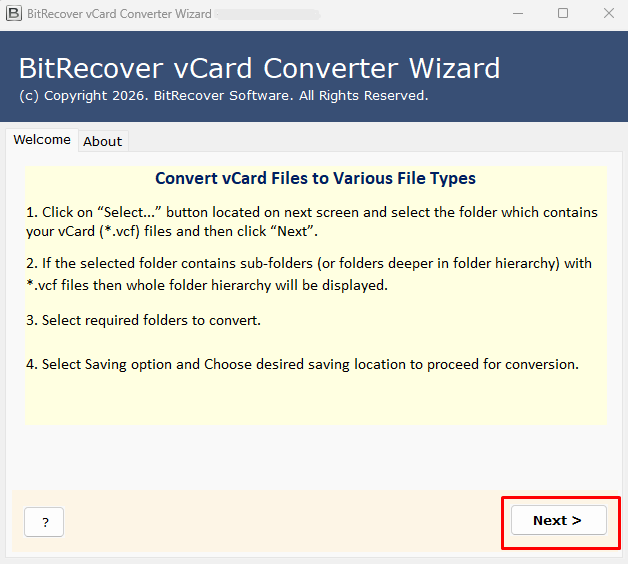
- Download and install RecoveryTools VCF to MSG converter on Windows or Mac.

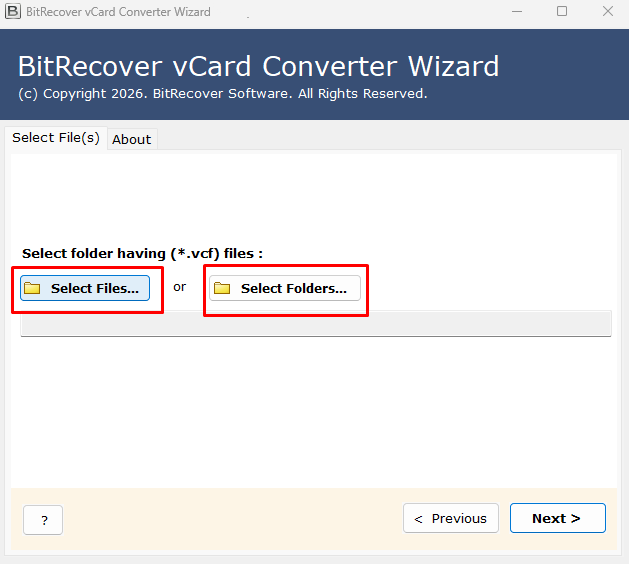
- Click on “Select File” or “Select Folder” and add VCF contacts to convert into MSG.

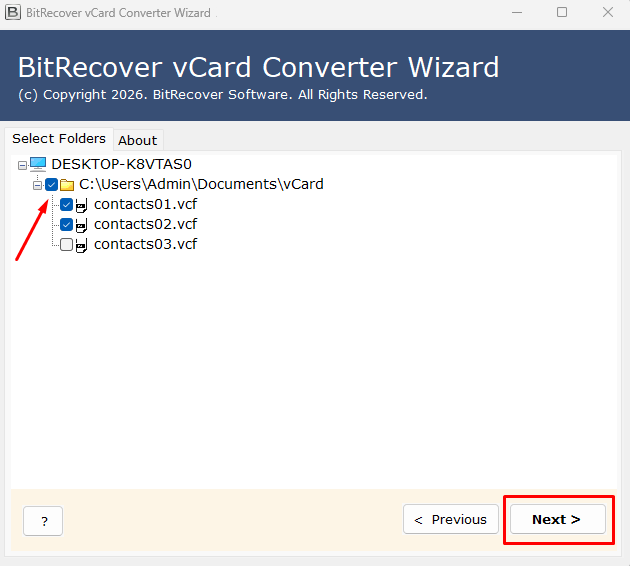
- View VCF files and select the required ones to save them into MSG.

- Select MSG from the given saving options.
- Browse and select the desired destination path.
- Hit the Convert button to start converting VCF contacts to MSG.
Method 3: Online VCF to MSG Converter Tools
Utilizing free online tools enables you to upload and convert VCF to MSG directly on your browser without the need for installations.
- Pros: They are free and do not require installation.
- Cons: They pose significant risks regarding your privacy and security. You need to upload your private or corporate contact information to third-party online servers in the process. In addition, they usually have strict limitations concerning the maximum size of files they can process as well as fail to convert VCF files to MSG in bulk.
Comparison: Which Method is Best for You?
| Features | Manual (Outlook) | RecoveryTools VCF to MSG Converter | Online Converters |
|---|---|---|---|
| Batch Conversion | No | Yes | Limited |
| Data Privacy | High (Local) | High (100% Offline) | Low (Cloud Upload) |
| Outlook Required? | Yes | No | No |
| Metadata Retention | Good | Excellent | Variable |
| Technical Skill Required | Yes | No | No |
Frequently Asked Questions
Q 1: Which is the best VCF to MSG converter?
RecoveryTools vCard to MSG Converter is recognized as the best tool by professionals. It is 100% offline, supports batch processing, provides a user-friendly interface, and does not require installation of Microsoft Outlook.
Q 2: Is it possible to convert VCF to MSG without Microsoft Outlook?
Yes, you can use a standalone application like RecoveryTools VCF to MSG converter to convert VCF to MSG without Outlook installation.
Q 3: Is it safe to use an online converter for my contacts?
Uploading VCF contacts to free online converters puts personal and professional contact information (phone numbers, addresses, emails) at the risk of exposure on third-party servers. Therefore, it is advisable to use secure offline software for converting personal or business VCF contacts to Outlook MSG files.
Conclusion
To convert a few VCF files to MSG, you can use Outlook’s built-in import method. However, to bulk convert VCF to MSG without data loss and manual effort, you need a dedicated offline VCF to MSG converter by RecoveryTools. It is the most reliable and easy-to-use tool, which can quickly transform VCF into MSG in a batch. It retains all the details, keeping your information 100% safe and secure, and works without Outlook.