Blog
Blog  +1 7025533020
How to Export Emails from Comcast to Text Format ?


Are you looking for a solution to export emails from Comcast to Text format? And want to know how to save Comcast email to Text File? If yes, then read this article to know complete solution. In this article, we are going to explain the easiest way to export Comcast Emails to Text format with proper step-by-step illustration.
Some Comcast users may require the text format to save secondary backup copies of their most important emails. However, Comcast does not allow its users to export Comcast email in text format. If you store Comcast email in another format, you cannot open it without an application. But if you really want to archive Comcast email in text format, you can open it very quickly without any issues, using the method discussed in this blog.
How to Export Comcast Email to Text? Quick Steps
Follow the below steps to export Comcast Email to Text format: –
- Run Comcast Email backup on Windows.
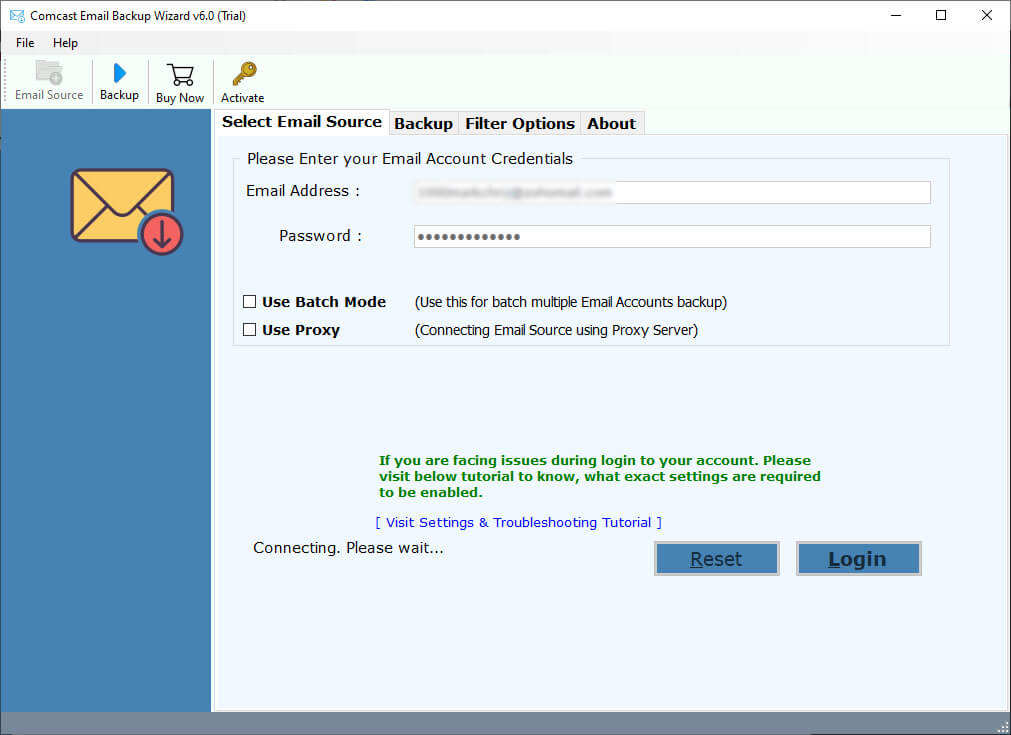
- Enter Comcast email account details in the interface.
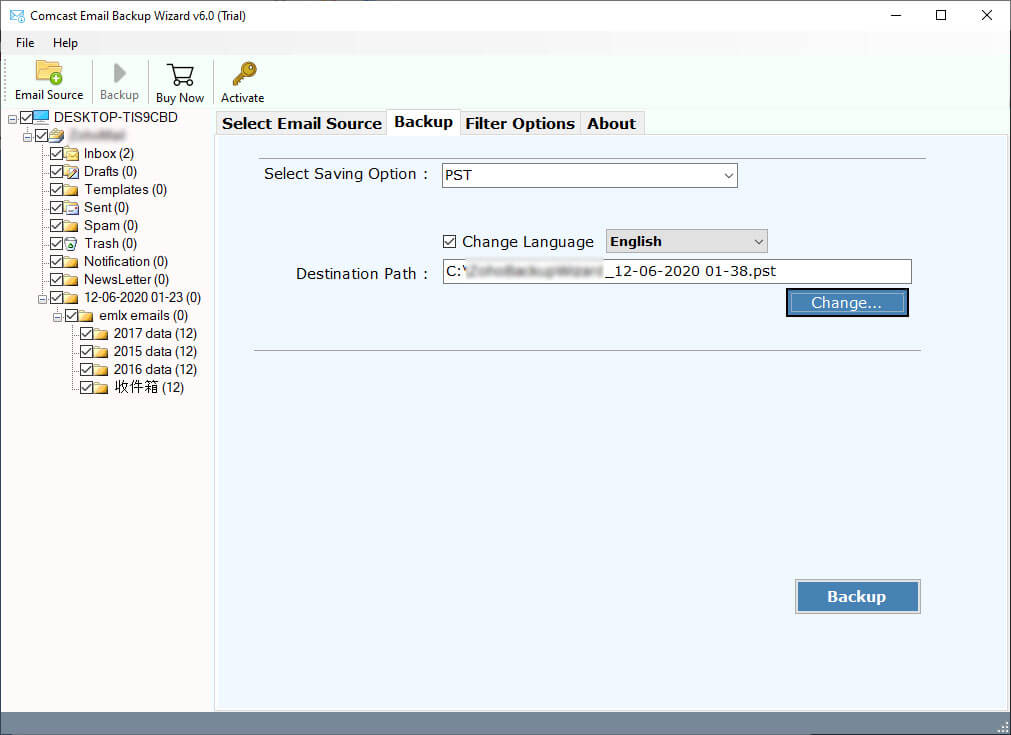
- Select email folders that you want to export.
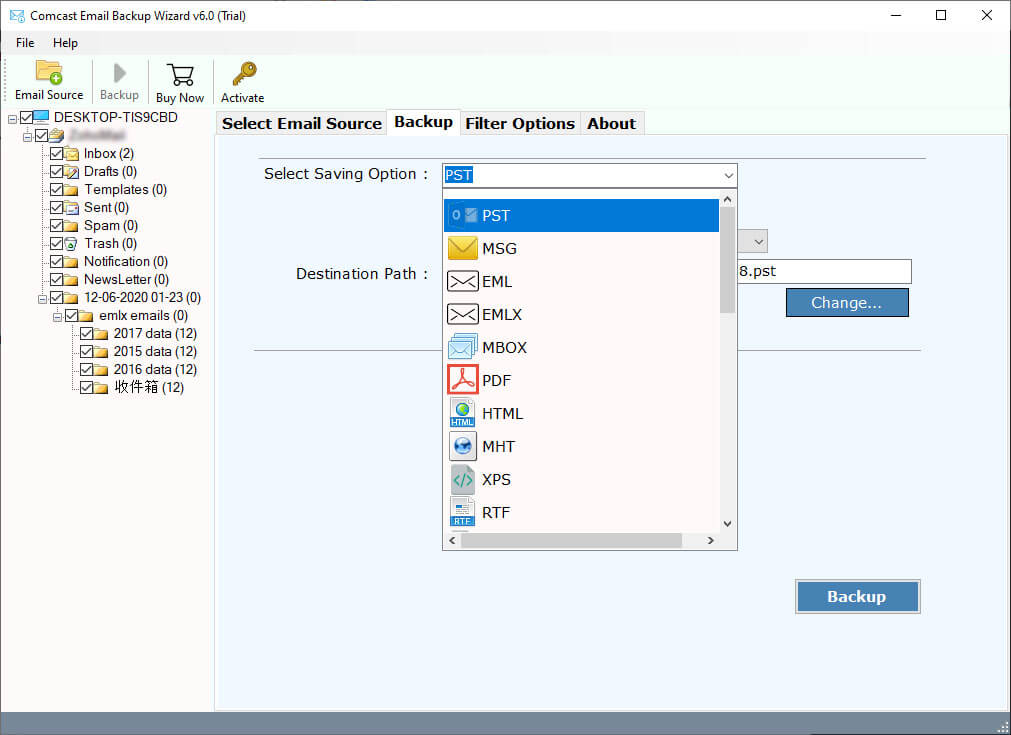
- Choose Text format from the list of file saving options.
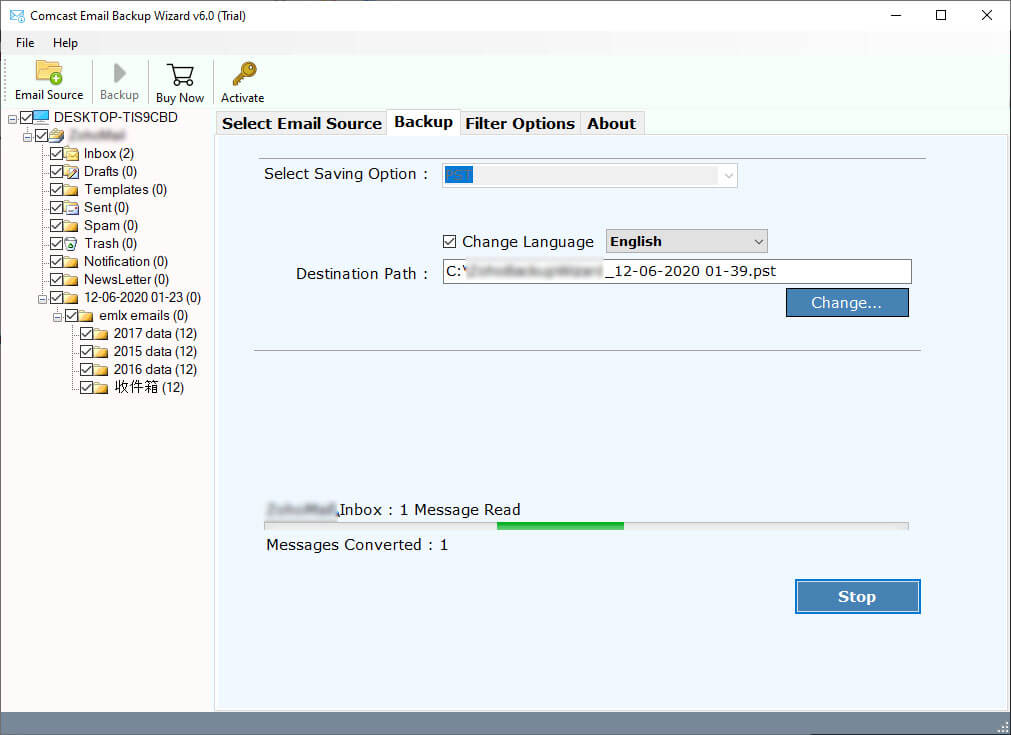
- Click on the Next button to start Comcast to text conversion.
Common Reasons Why We Need to Save Comcast Email to Text
- Plain text content records are easily open with any device like Computer, Mobile, Laptop, Tablet, etc. Accordingly, clients need to export Comcast messages to Text file.
- In terms of size, a text file takes up very little space according to other formats. Therefore, Comcast users want to export emails as Text format.
- Using a text file, you can easily find the specific Comcast email on a local PC. This is one of the big reasons when a user wants to export Comcast email to Text format.
- Using a text file users can easily print the email information without any issues. Therefore, users want to export Comcast email to TXT format.
- Edit of change Email content by exporting as Text format. That’s why users want to export Comcast messages to Text format.
Pro Tool to Export Emails from Comcast to Text Format Quickly
For a safe process, use RecoveryTools Comcast Email Backup Tool. It helps to download emails from Comcast email accounts to Text format at once. This tool supports a simple interface which enables all types of users to securely migrate Comcast emails to Text in just a few clicks. In addition, it preserves all metadata details and attachments intact in the original format throughout the export process. To know the working steps, keep scrolling to the next section.
Note: – This tool offers a free trial version which allow users to download only few emails from Comcast to Text format. If you want to convert multiple numbers of emails, then purchase a licensed key to activate the software.
How to Export Comcast Emails to Text? Easy Steps
- First, download the software and launch it on your Windows machine.
- After that, enter your Comcast Email credentials in the user interface panel.

- Thereafter, select the required email folder which you want to move from Comcast to Text format.
- Next, select TXT as your saving file format.
- Lastly, set the destination path and click on Next to start the process.
Comcast to Text Converter – Benefits and Features
- 100% Safe Interface Panel: – The software provides a complete secure interface that never stores user personal details in the user interface panel. Also, it never stores email account credentials in the user interface panel caches.
- Easy to Use and Simple Interface: – The software provides a simple and easy to use interface which helps you to understand the process without any guidance. Both types of users can easily understand the process without any technical guidance.
- Export Multiple Comcast Email to Text: – The software not only download emails from Comcast inbox folder but also export all Comcast email to Text format. You can select what you want to export from Comcast to Text format, and then select TXT format in the saving options.
- Maintain Email Properties: – During the backup process, the software maintains the email properties including all meta properties such as email with attachments, email addresses (to, cc, bcc, from), email subject, email hyperlinks, email formatting, etc.
- Download Multiple Comcast Email Accounts: – The utility offers an advance option to download multiple Comcast email accounts data at one process. Yes, just put all account details in a CSV file and then upload it to the software interface.
- Selective Email Download from Comcast to Text: – The software provides advance filter options to download only required items from Comcast to Text format. You can download Comcast Email to TXT format by subject, by date, by email address, by number, etc.
- Support All Microsoft Windows Operating System: – The software supports all Microsoft Windows Operating System including Windows 10, Windows 8.1, Windows 8, Windows 7, Windows Server 2019, Windows Server 2016, Windows Server 2012, Windows Server 2008, etc.
Common FAQs – Export Comcast Email to Text Tool
Q1. Does the software allow me to export only selected items from Comcast to Text format ?
Yes, the software provides advance settings options to export only selected items from Comcast to Text format.
Q2. Can I install this application on Windows Server editions ?
Yes, the software supports all Microsoft Windows OS including Server editions.
Q3. Can I use this application on Mac editions ?
No, currently the software works on Windows Machine.
Q4. Can I export Comcast emails to Word document using this application ?
Yes, the software provides multiple saving options including Word DOC format.
Conclusion
In the above article, we have explained the way to export Comcast Email to Text format. If you are one of them who wants to export Comcast Email to TXT format, then download the recommended solution. Because there is on way to save Comcast Email to Text format. The Comcast to Text Converter software supports all editions of Microsoft Windows. The software comes with a 100% secure interface that never stores user personal details in the interface. It comes with a trial edition to check the efficiency of the tool before purchase. If you have any issues with the software and its process, then contact us on live support chat.